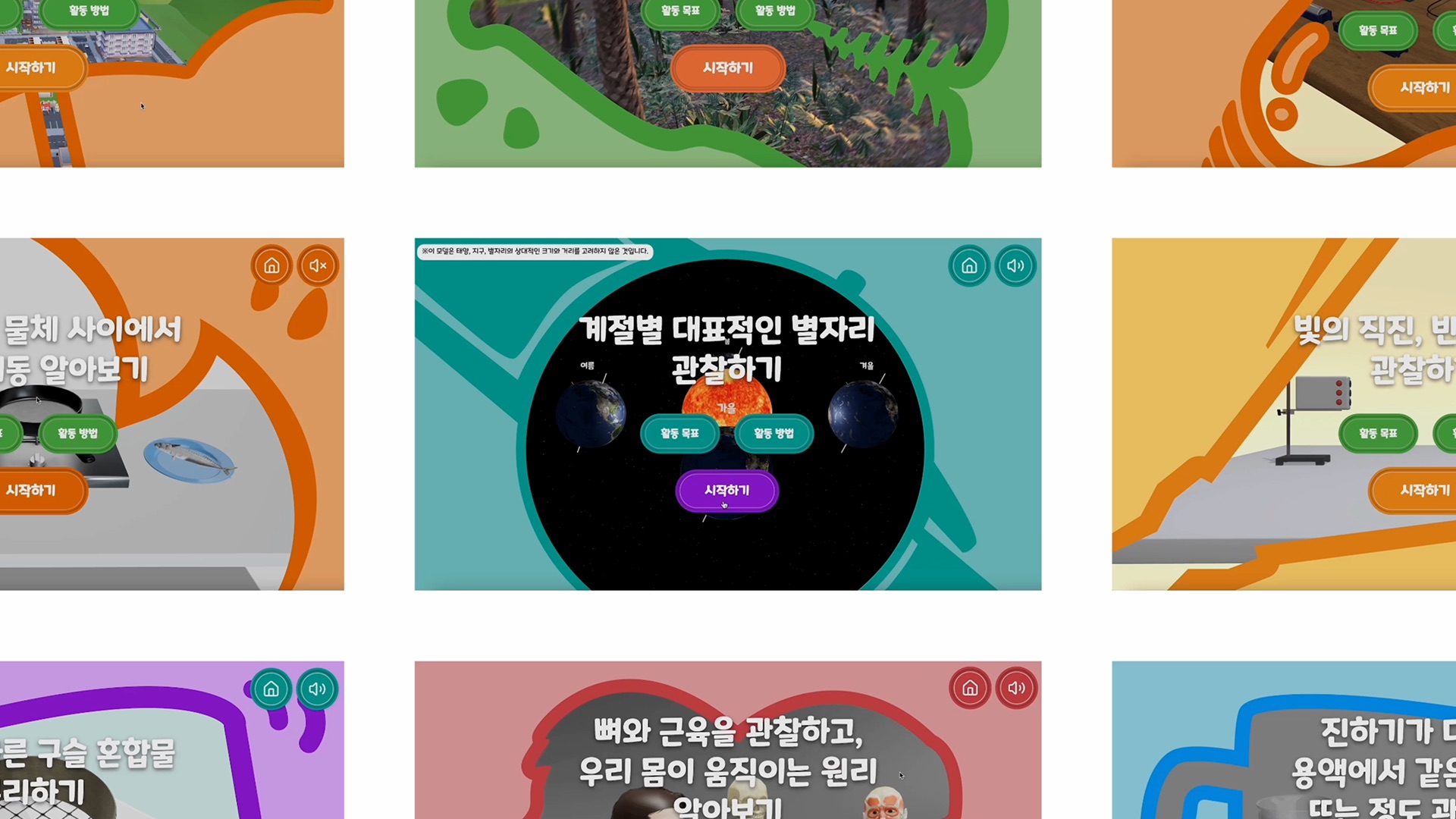
Voices surrounding the implementation of AI digital textbooks in South Korea
Since the implementation of AI digital textbooks in 2025, digital infrastructure has been expanded, but the quality of educational content has not kept pace. In particular, there is a lack of interactive and highly immersive content that leverages the strengths of the digital environment.
01 | Online Survey and Teachers Interview
What do you think is the most important reason why AI digital textbooks are not as effective as expected? (Multiple answers possible) (Multiple responses allowed)
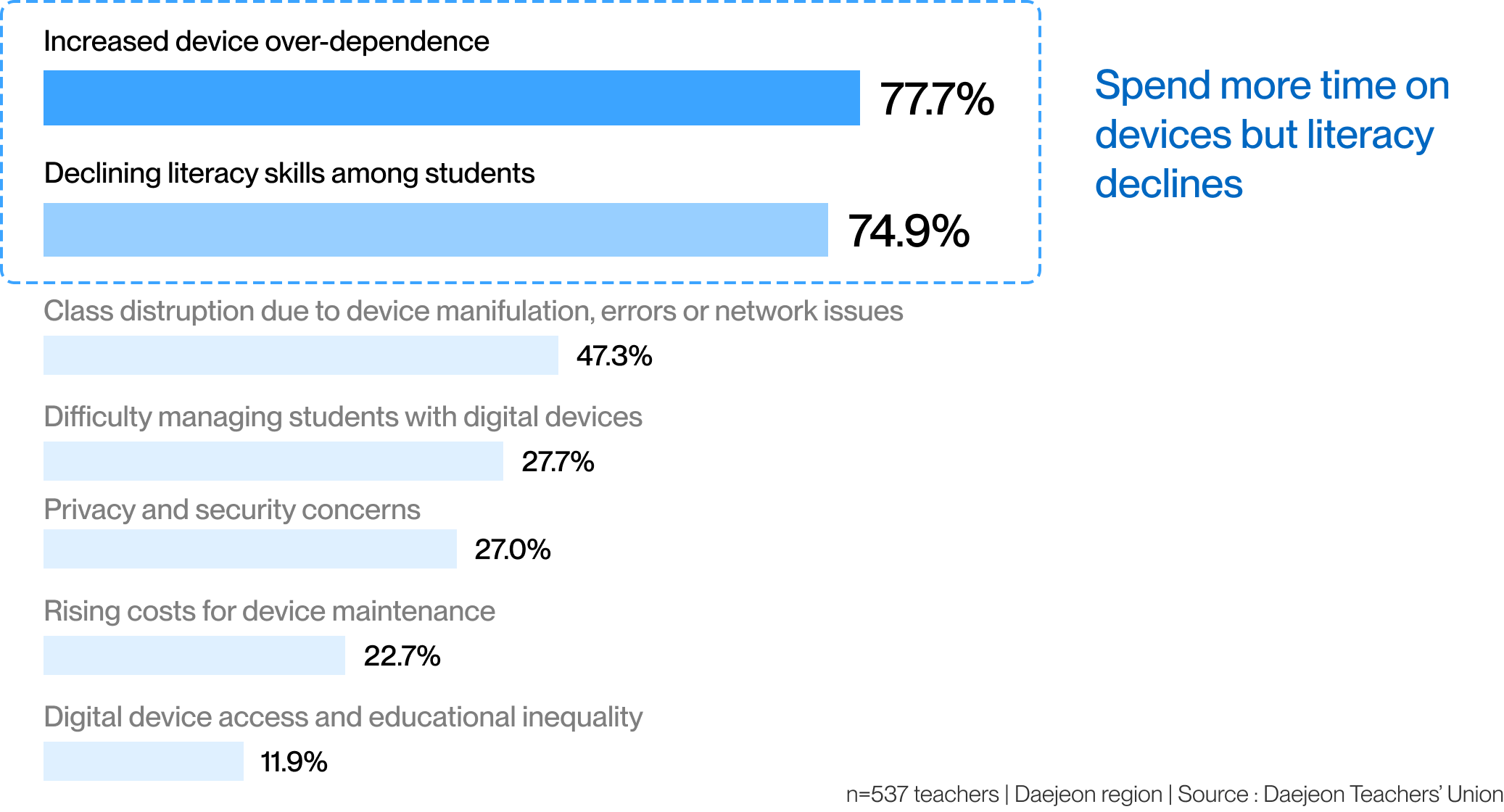
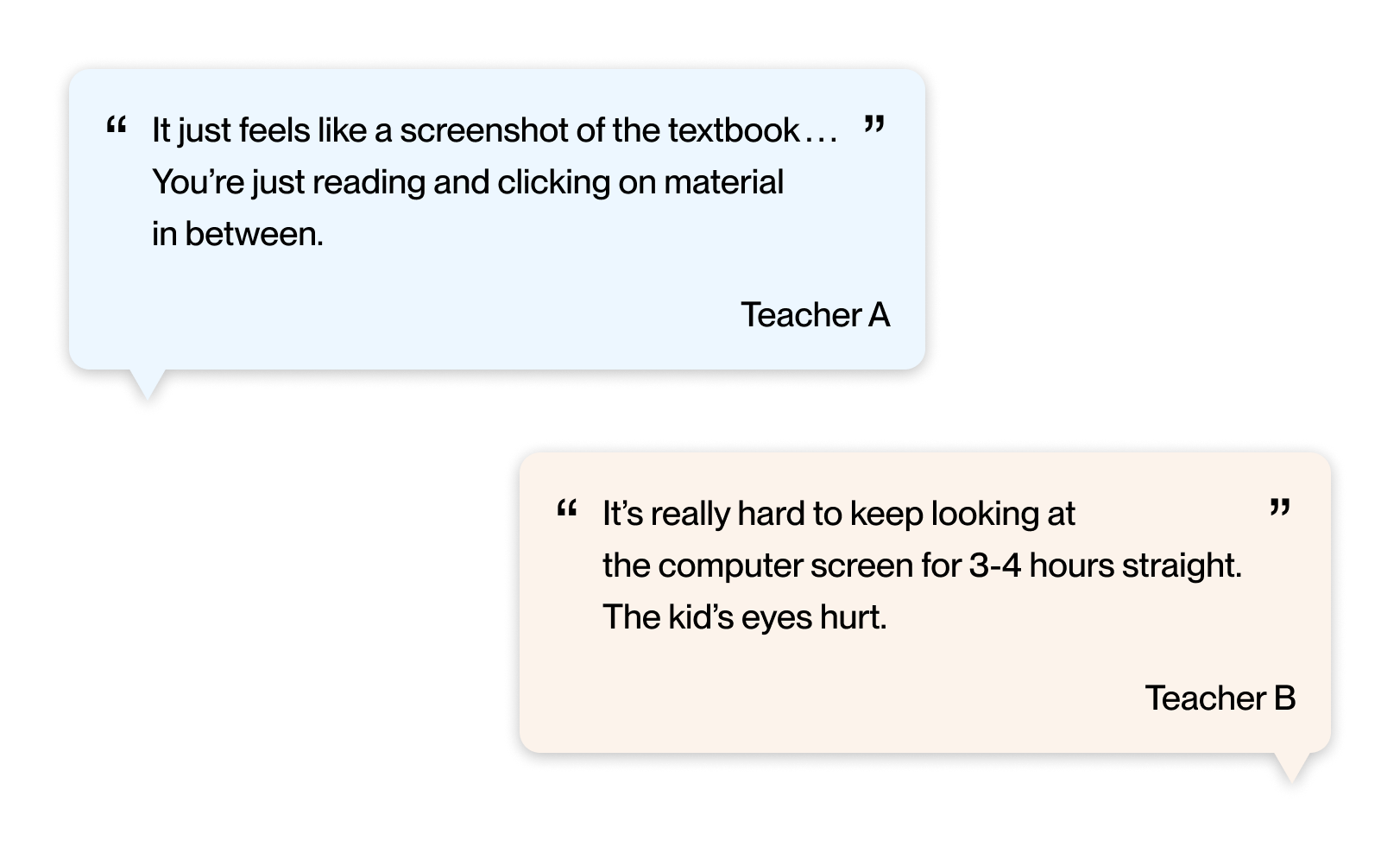
Digital Devices ≠ Digital Learning
Digital devices are prepared, but the quality of educational content is insufficient
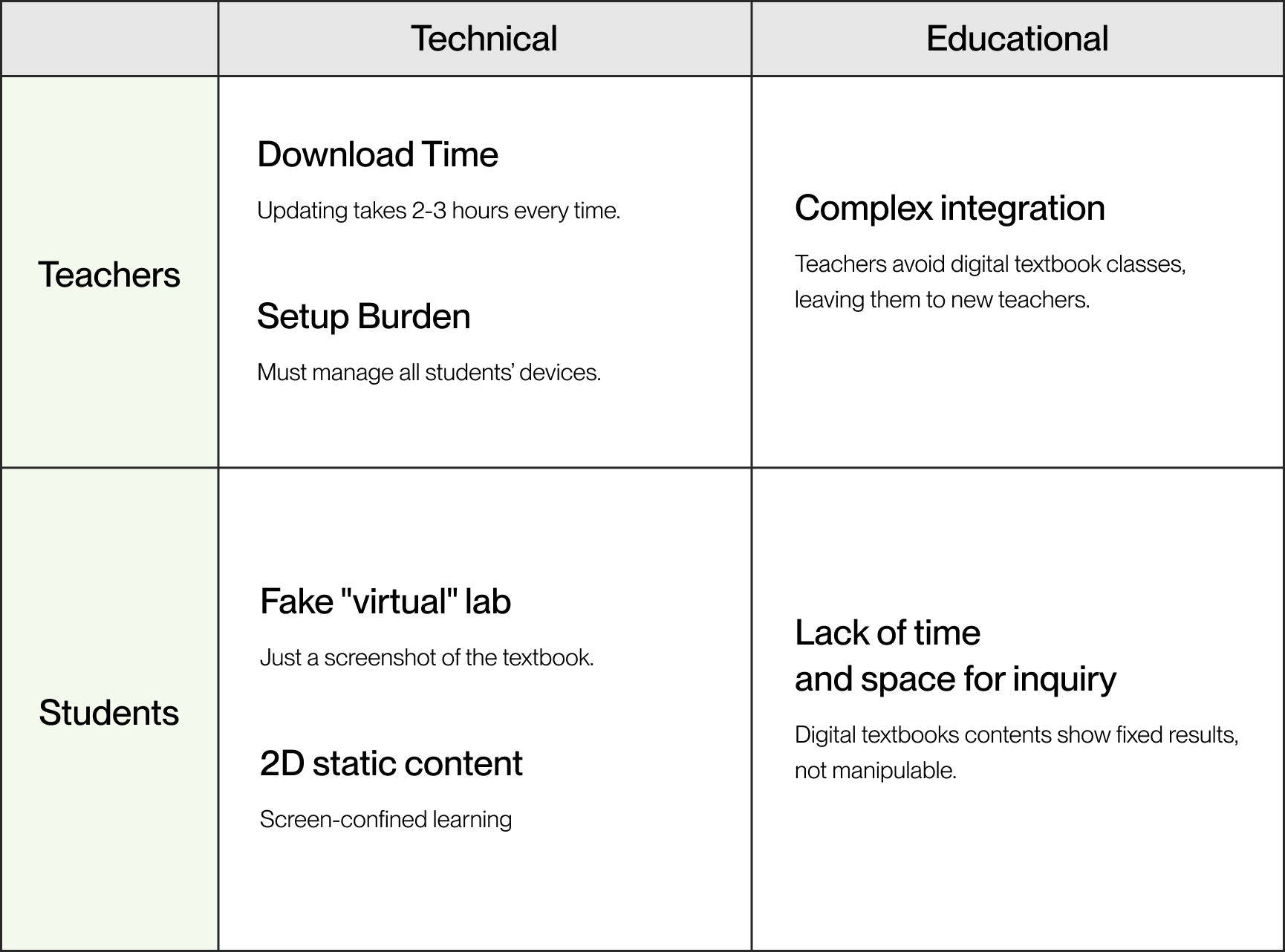
We identified the real problems that teachers face
I conducted a comparative analysis of student and teacher experiences in traditional textbook classes versus digital textbook classes. While digital textbooks provide interactive experiences, they actually reduce students' active inquiry and increase teachers' lesson preparation burden.
Currently used digital textbooks are reducing discussion experiences with peers and replacing them with quiz content.
Traditional Textbooks

Digital Textbooks

We identified the real problems that students face
I conducted a comparative analysis of student and teacher experiences in traditional textbook classes versus digital textbook classes. While digital textbooks provide interactive experiences, they actually reduce students' active inquiry and increase teachers' lesson preparation burden.
Digital textbooks provide students with interactive experiences, but they also increase the burden of device management for teachers.
Traditional Textbooks

Digital Textbooks

What Gets Reduced in Digital Textbooks
As digital textbooks become more common in science classrooms, efficiency gains often come with tradeoffs—reducing peer interaction, limiting inquiry time, and shifting learning toward answer-checking rather than exploration.
01 | Problem Definition
02 | Research Question
"How can we design digital textbook content to reduce the burden on teachers and students and transform passive learning into active inquiry experiences?"
What We're Building
After identifying the key constraints in the classroom setting and the gaps in student learning, I created an MVP to rank and prioritize features based on their importance. The main focus was on features that directly support inquiry-based science learning while still being practical for everyday classroom use.
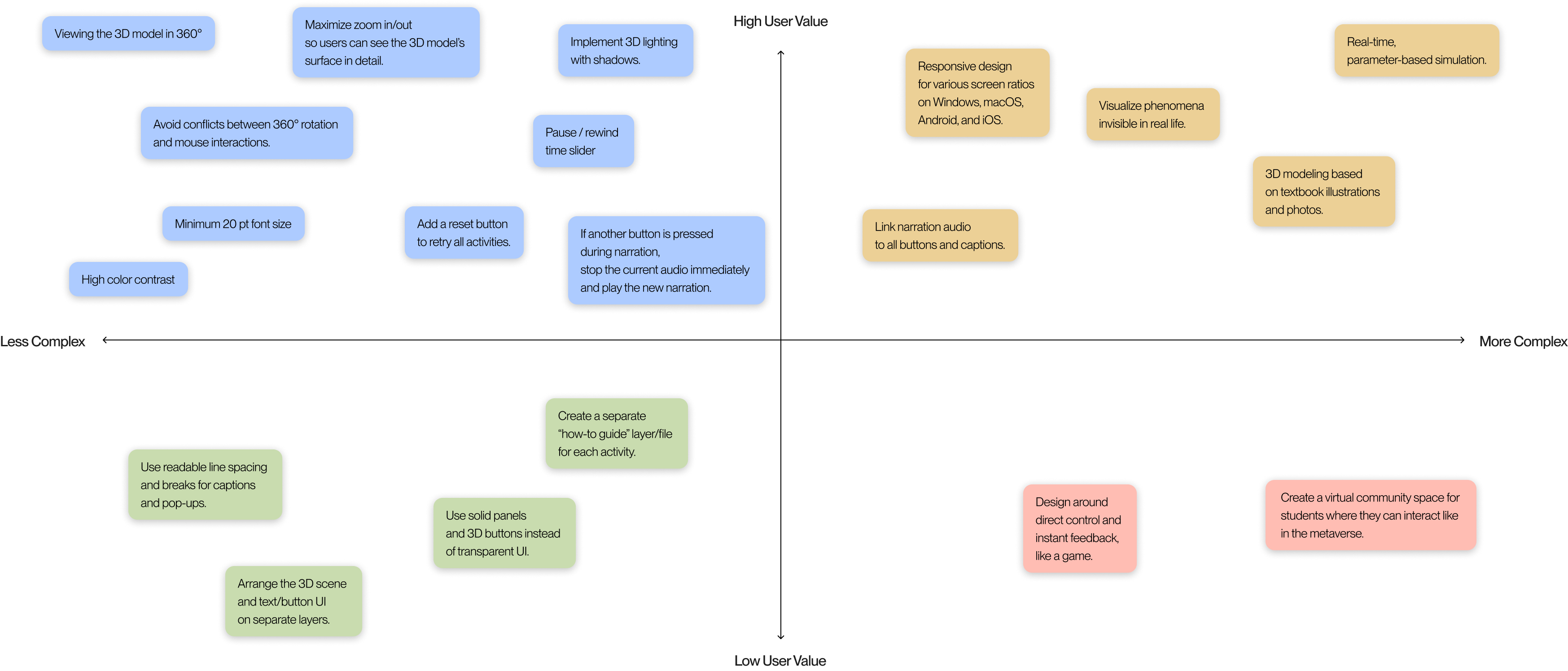
Three Design Directions for the XR Museum
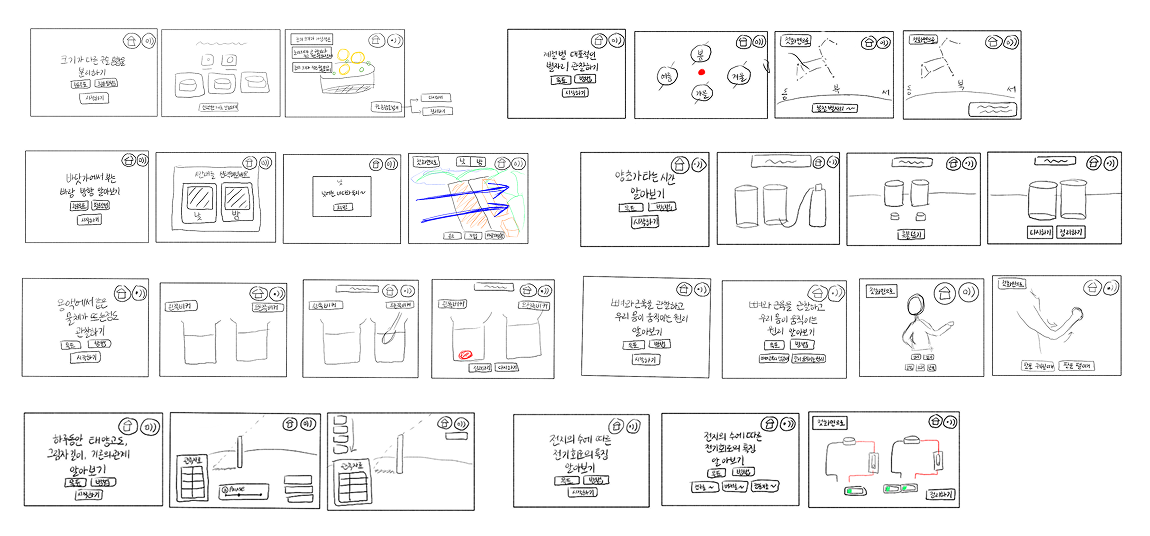
I organized the problems that teachers and students face into three design directions aligned with the MVP list. At the same time, I divided 14 experiments into four experiment types and created reusable XR templates for each prototype.
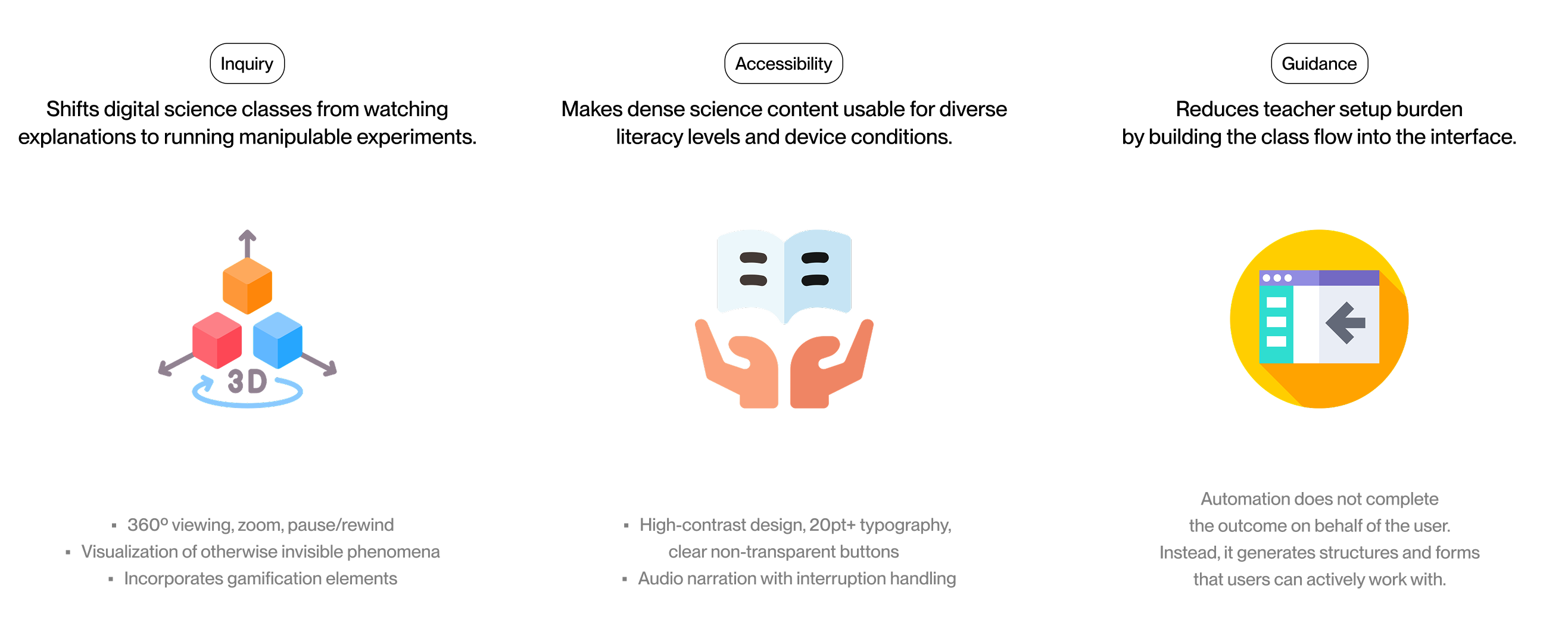
Inquiry
Shifts digital science classes from watching explanations to running manipulable experiments.
• 360º viewing, zoom, pause/rewind
• Visualization of otherwise invisible phenomena
• Incorporates gamification elements
Accessibility

Makes dense science content usable for diverse literacy levels and device conditions.
• High-contrast design
• 20pt+ typography
• Clear non-transparent buttons
• Audio narration with interruption handling
Guidance
Reduces teacher setup burden by building the class flow into the interface.
Automation does not complete the outcome on behalf of the user.
Instead, it generates structures and forms that users can actively work with.
Teaching with the XR Science Museum
Reflecting on insights from earlier research and the defined design directions, I mapped an ideal teacher journey to show how lesson preparation, delivery, and assessment change with the introduction of digital textbooks.
Teacher Flow
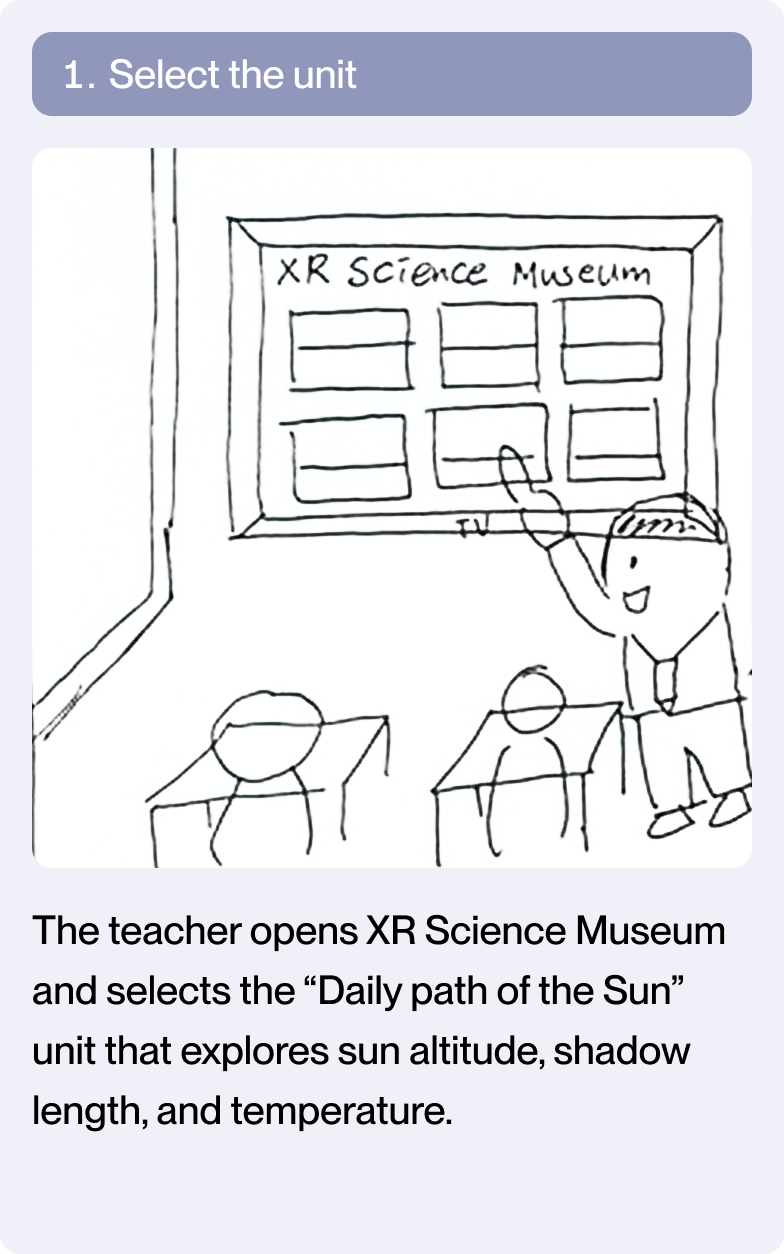
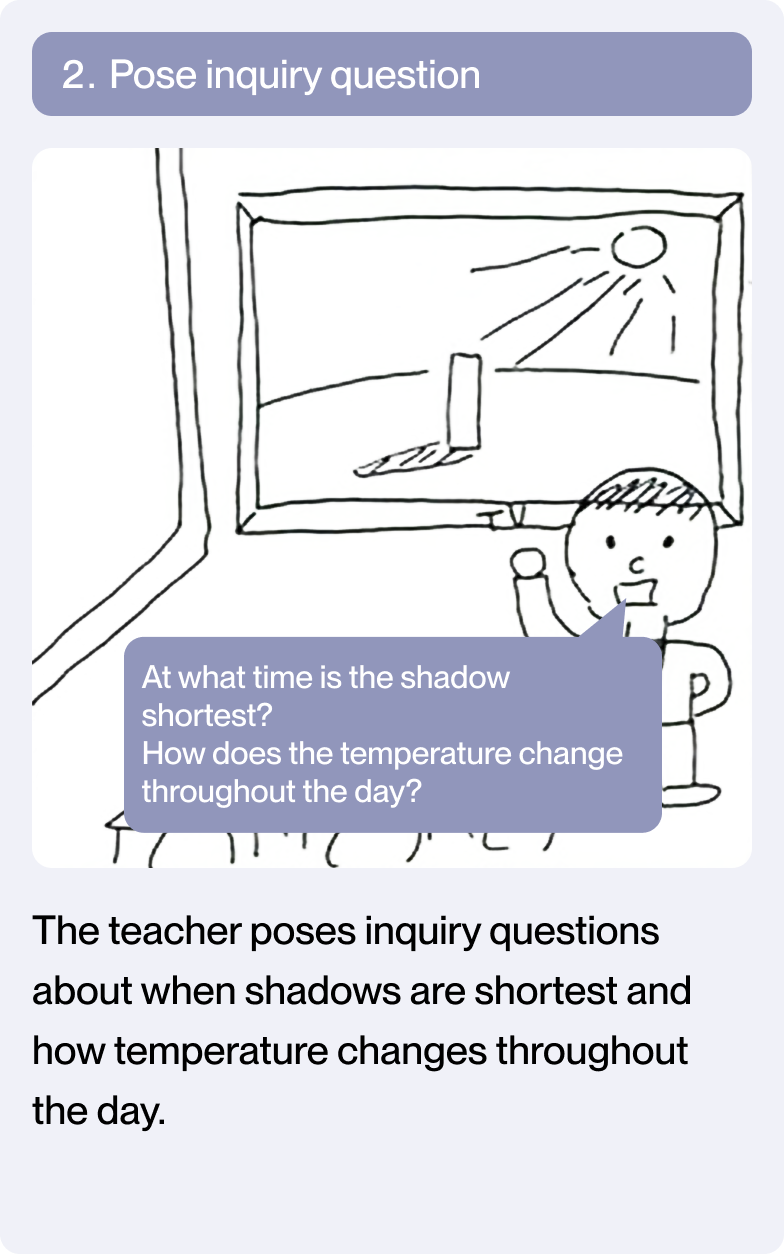
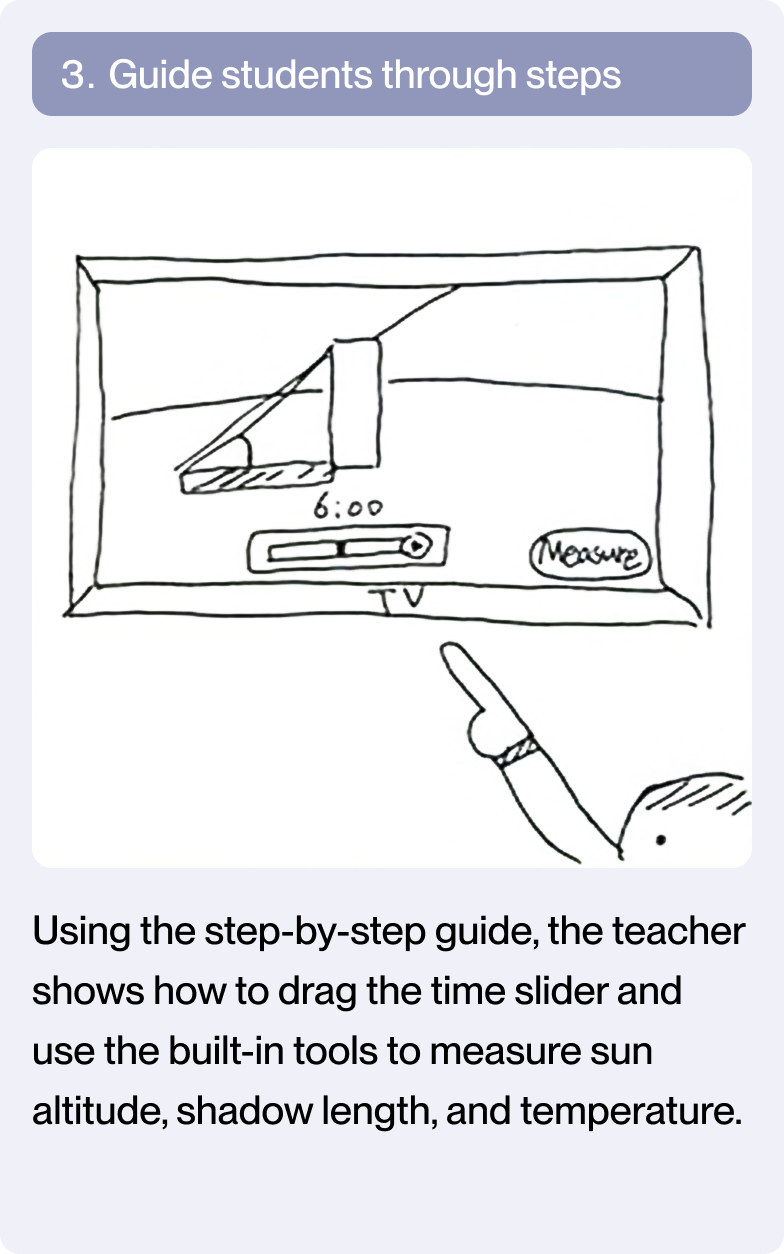
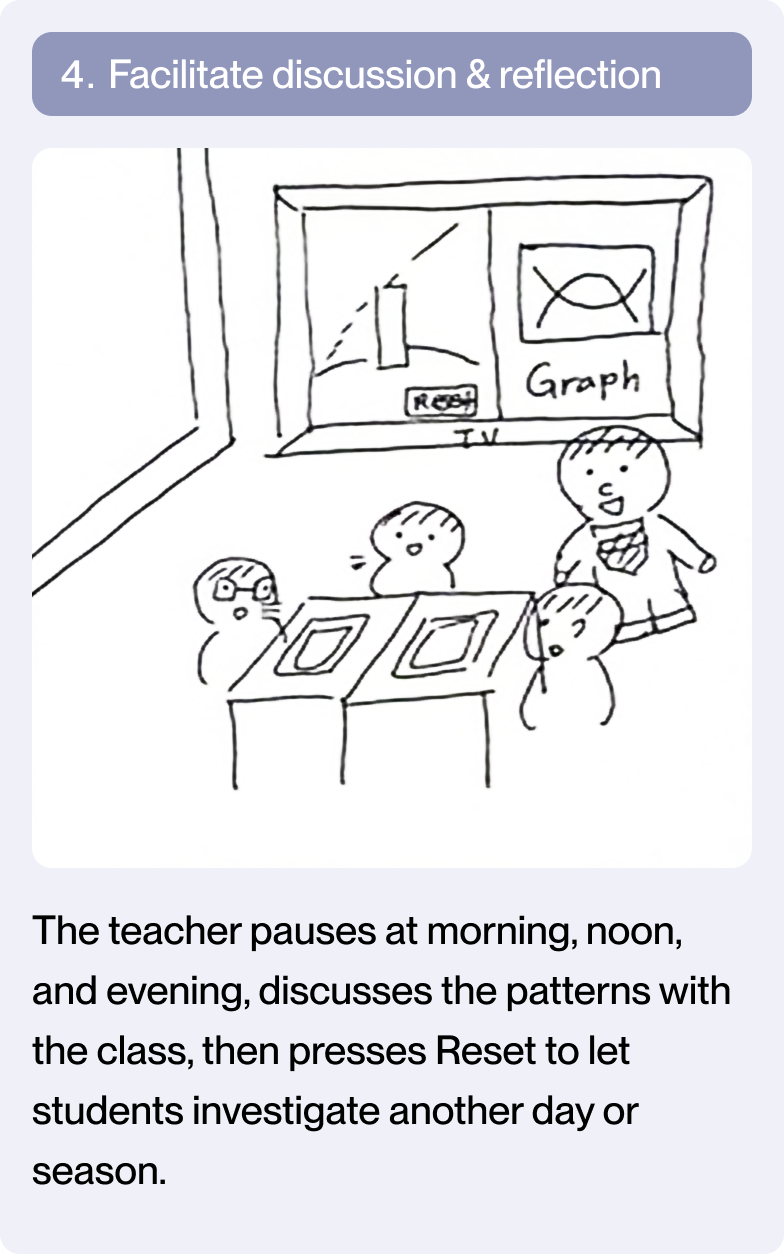
Teachers shift from troubleshooting devices to facilitating inquiry by using step-by-step guides and built-in measurement tools.
What Learning Looks Like with XR
Building on the proposal from same design directions, I mapped an ideal student journey to illustrate how learning activities, interaction, and feedback differ between traditional classrooms and digital textbook-based learning.
Student Flow
Students move from reading and clicking to manipulating parameters, observing change, and testing hypotheses.
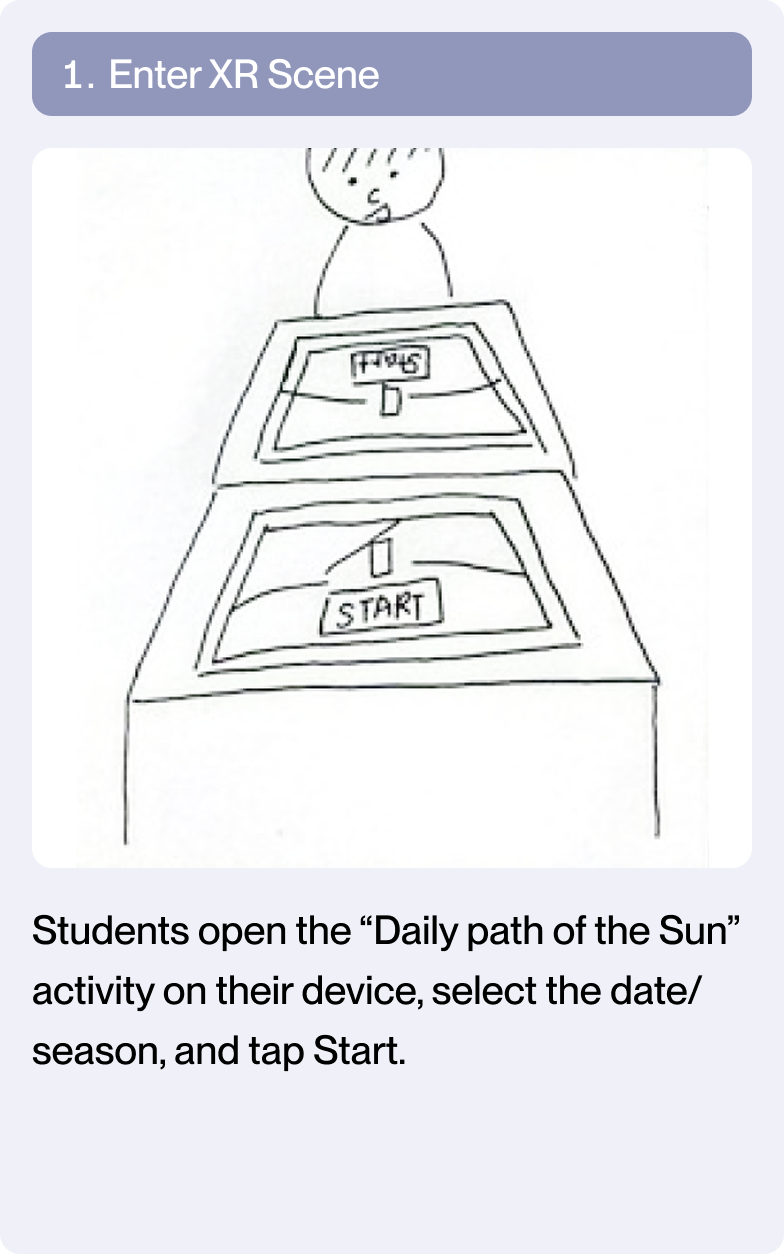
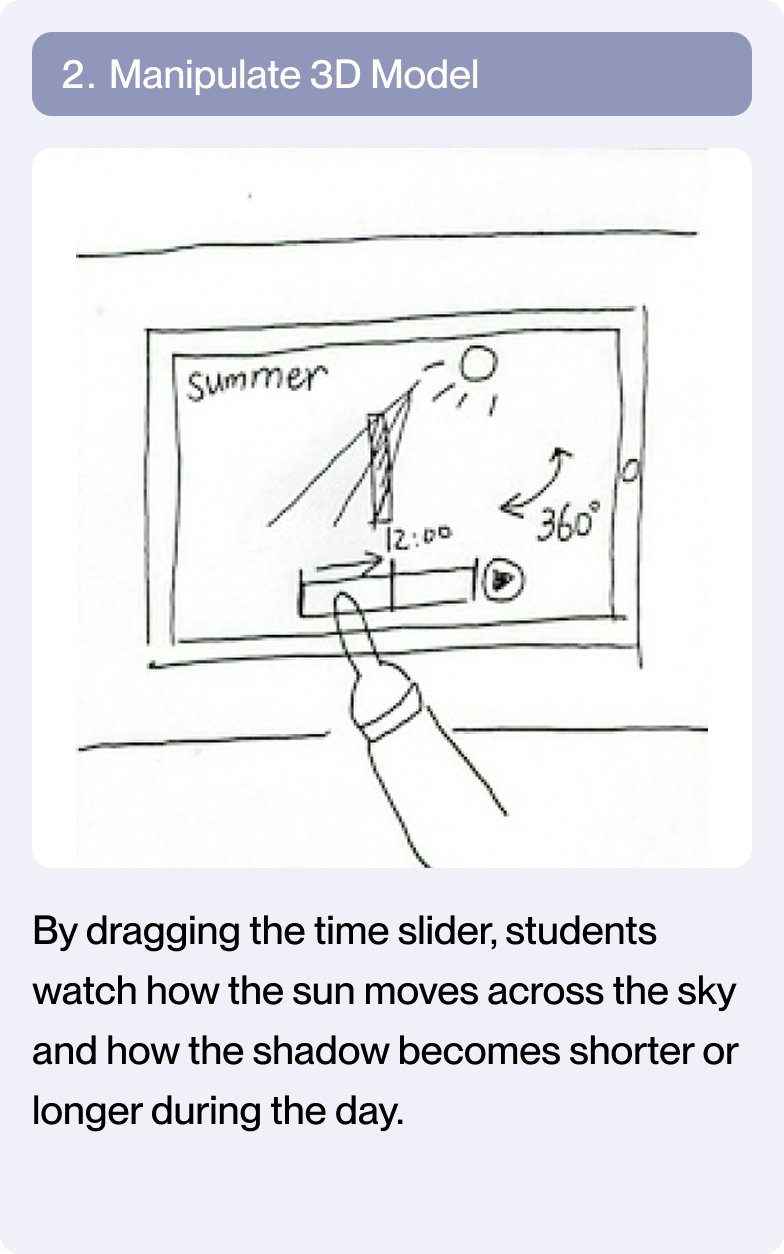
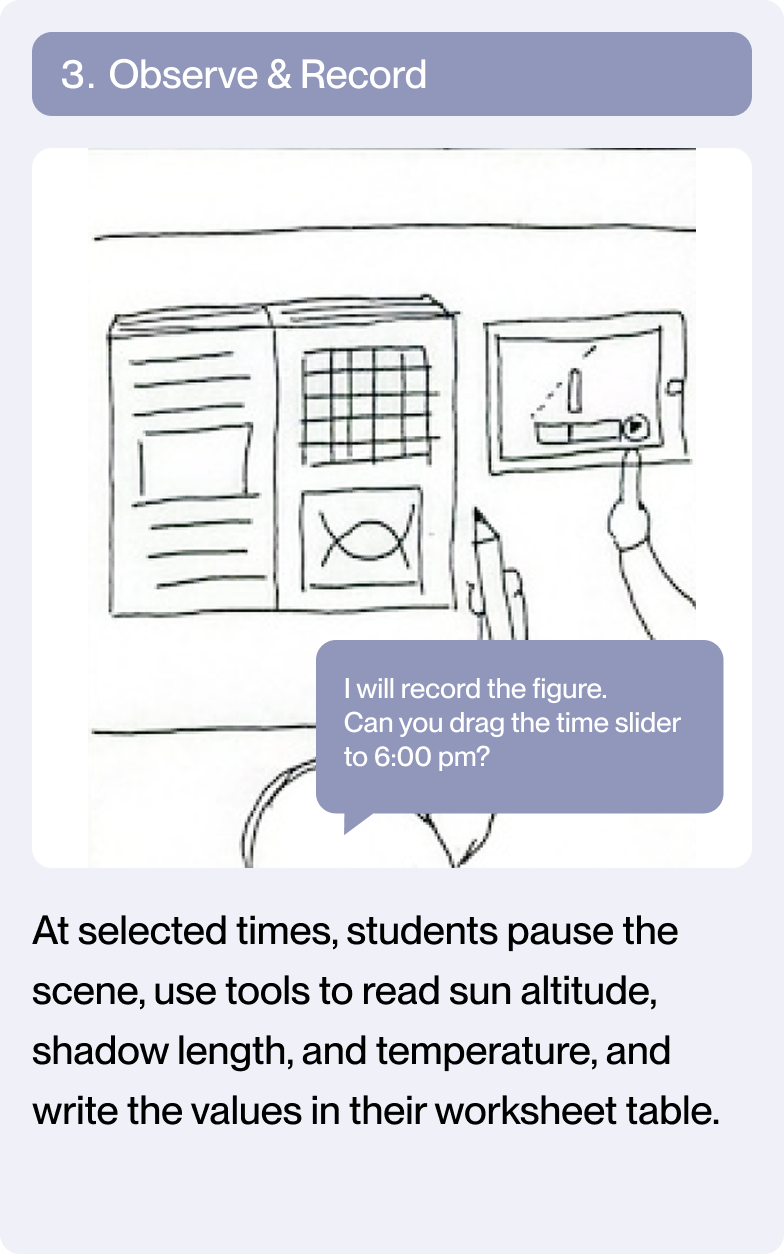
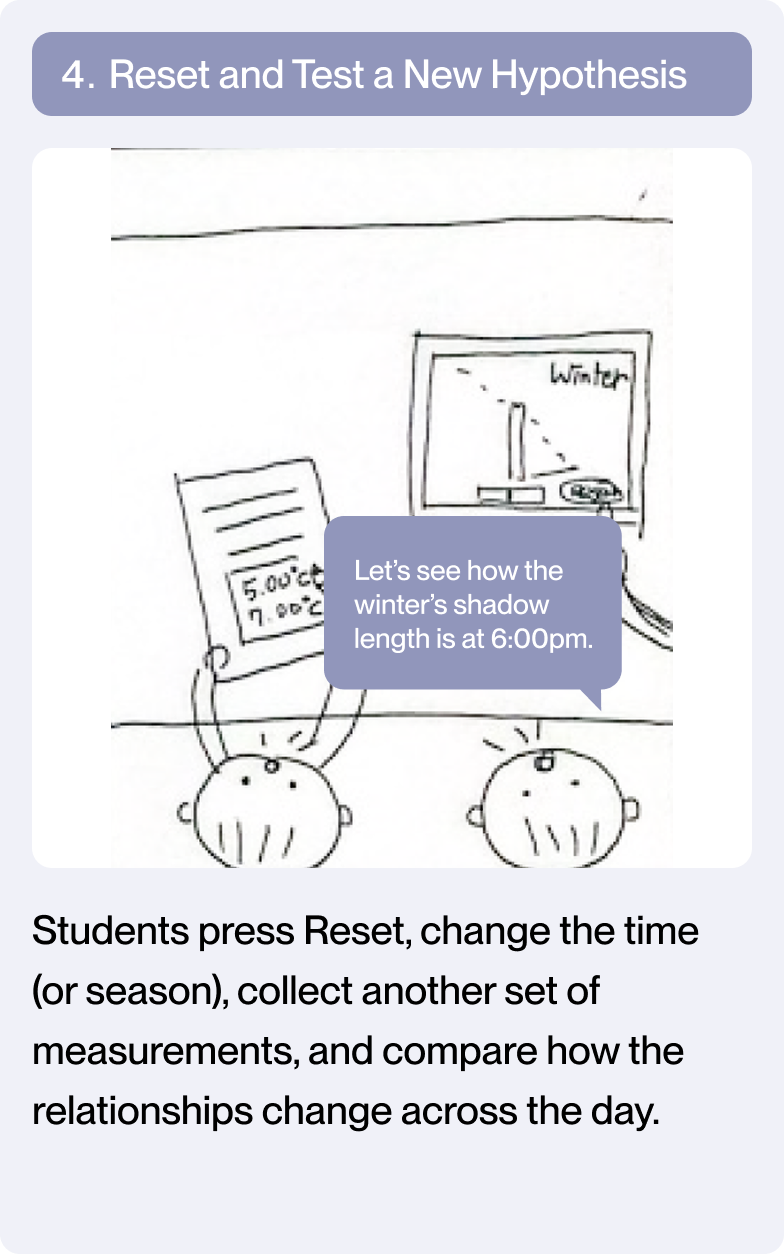
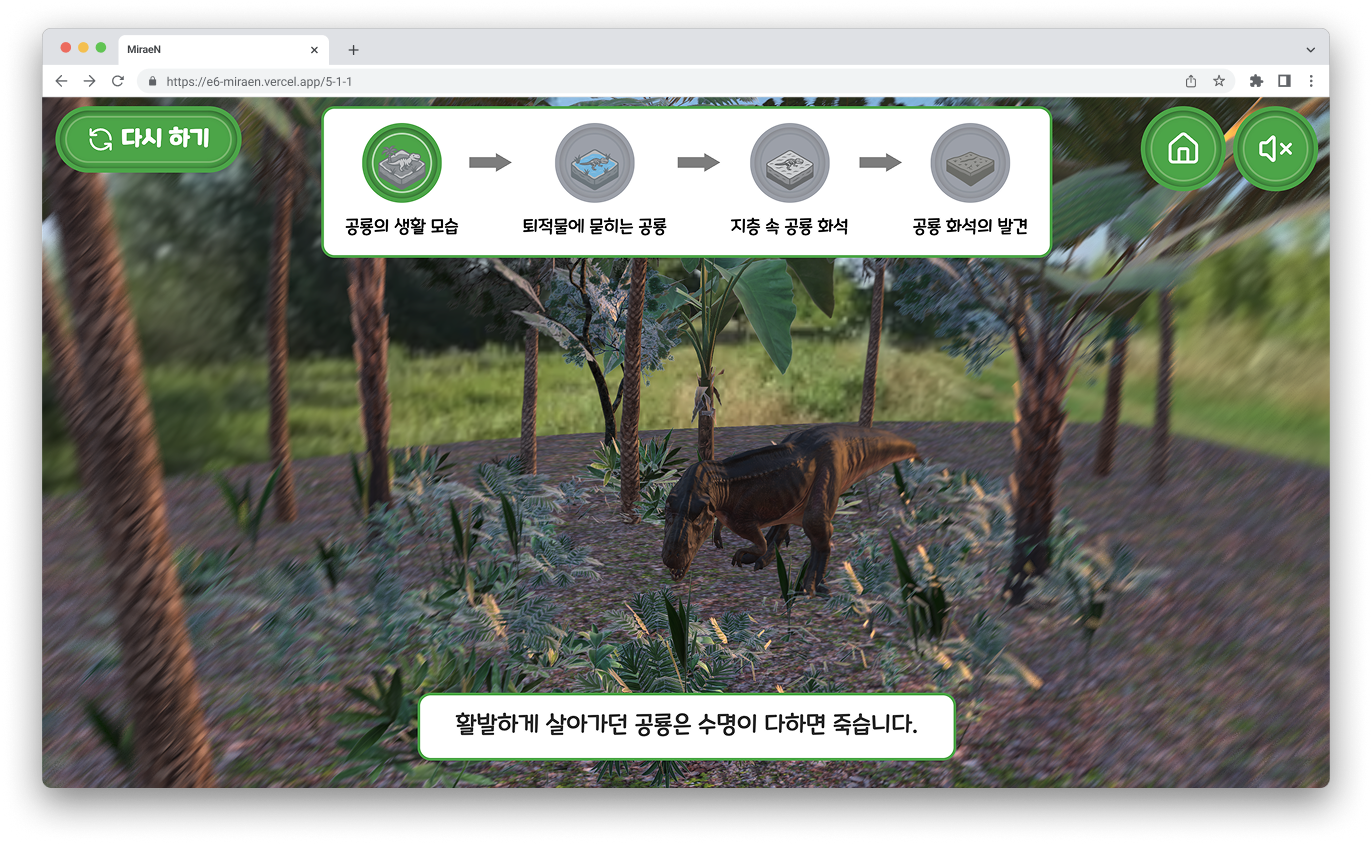
From textbook experiments to web simulations
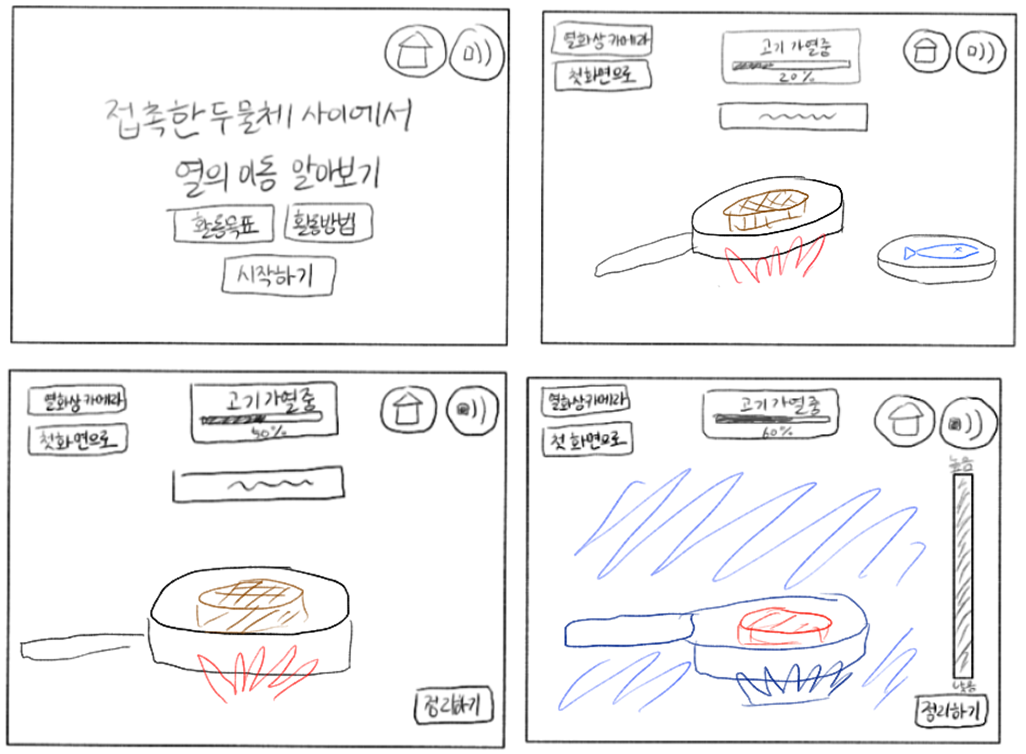
To implement experiments from paper-based textbooks as web-based interactive simulations, I modeled and simulated how the experiments work and rendered them in real-time using 3D/graphics technology.
Sketching
3D Modeling
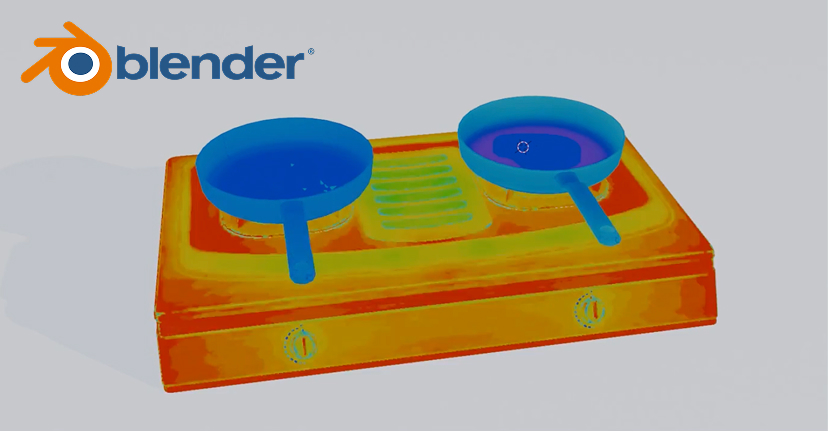
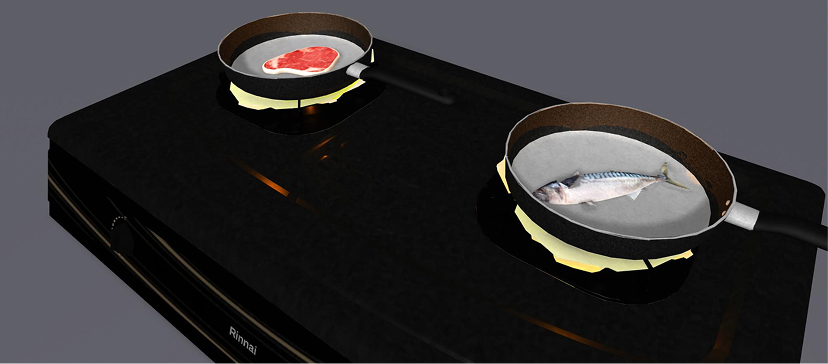
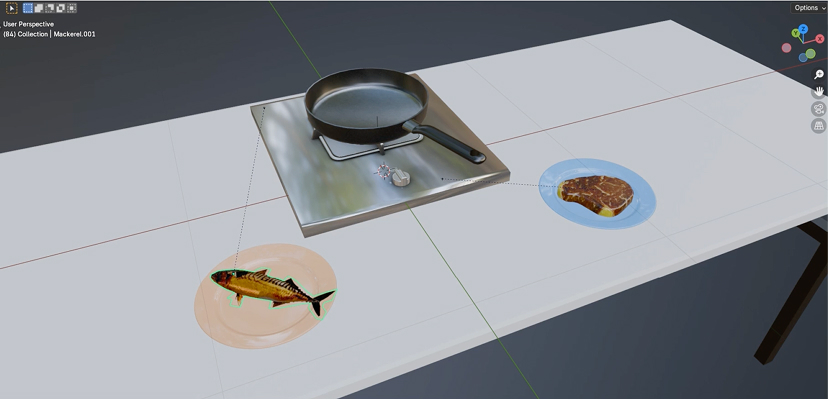
Computer Graphics
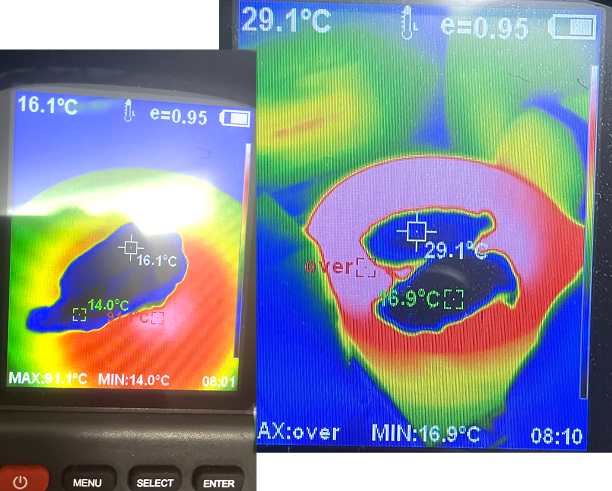
I created video data by filming scenes of grilling meat and fish with a thermal camera.
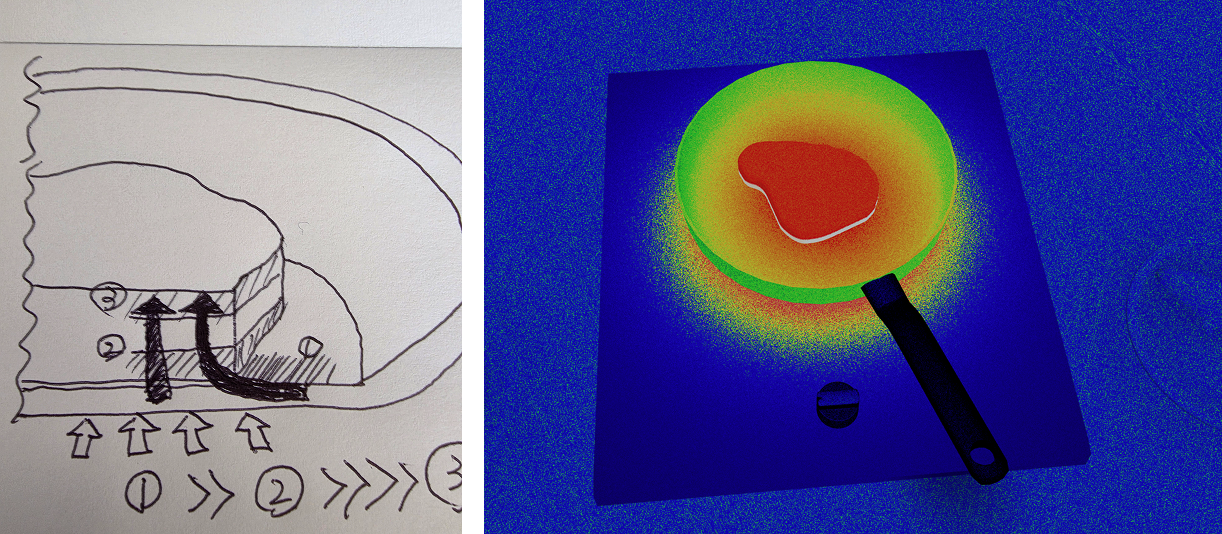
Based on the video data, I developed a thermal camera mode simulation using GLSL shaders.
From Feedback to Fixes
Stakeholder feedback from MiraeN’s editorial and product teams informed targeted UI refinements, with a focus on readability, clarity, and usability for elementary students using tablets in classrooms.
Issue 1
Text is too small for 5th-6th grade students.
Editorial Team
Issue 2
Transparent buttons are not recognized as clickable elements and have poor touch accuracy, making them unsuitable for children's tablet use.
Project Managers
Issue 3
Button animations and visual effects create unnecessary visual noise for elementary students.
Editorial Team
Before
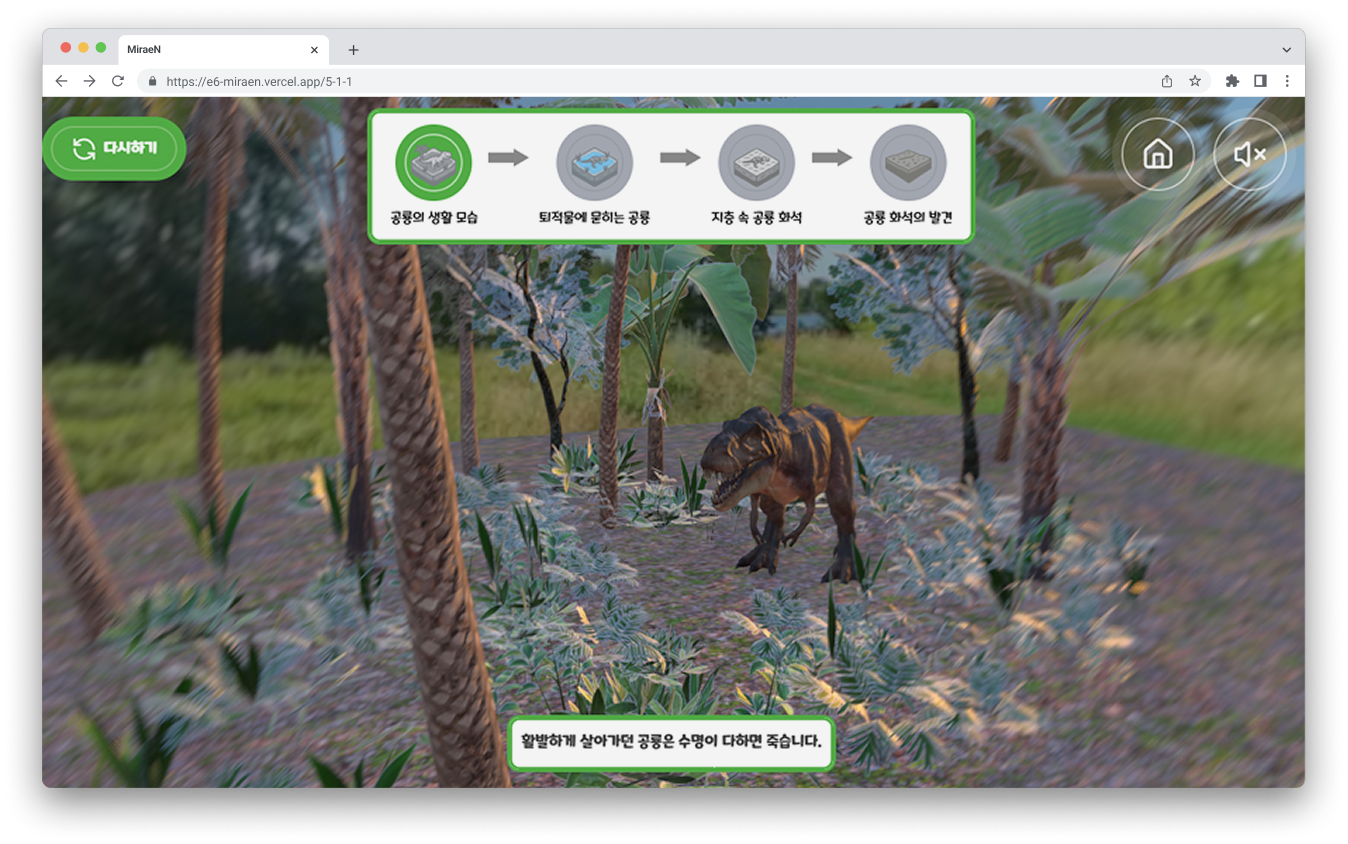
After
Revision 1
Increased all text sizes by 40%
Revision 2
Changed transparent buttons to colored buttons
Revision 3
Removed all transition effects on buttons
How Inquiry Is Made Interactive
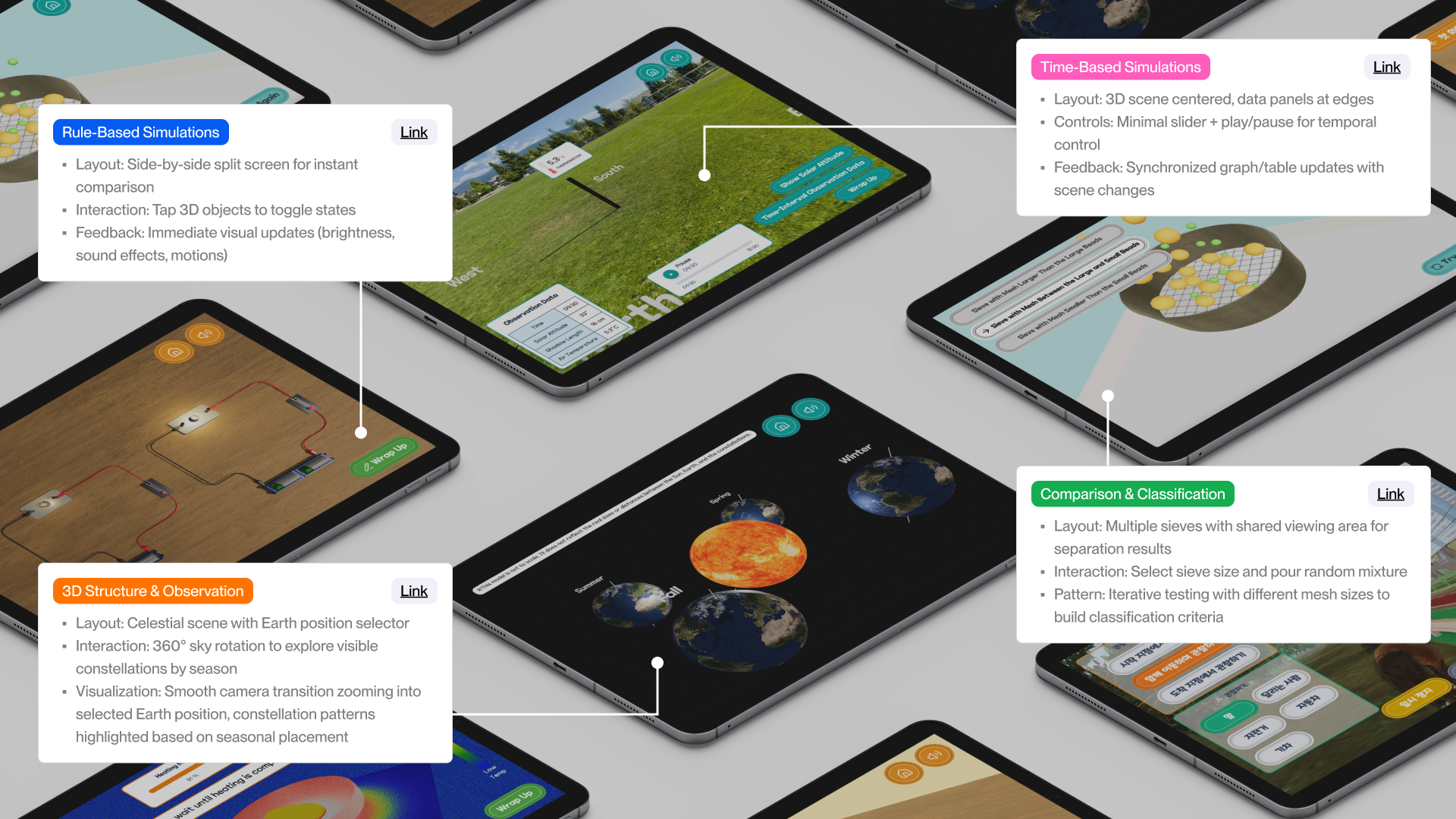
Based on earlier analysis of classroom workflows and inquiry breakdowns in digital textbooks, I designed interaction patterns around recurring inquiry structures found across science units, including time-based change, state comparison, and spatial observation.
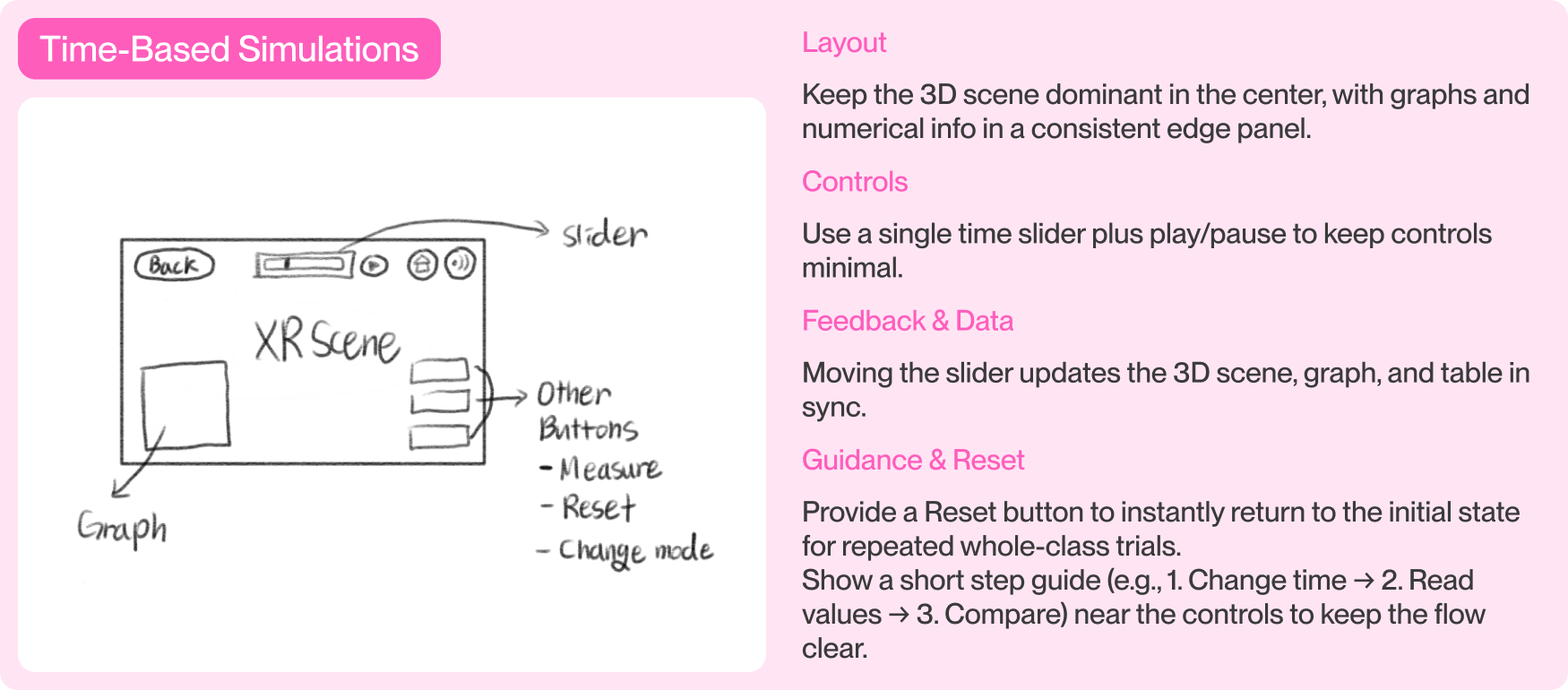
Group 1 | Time Change Simulations
Slider → Scene/Graph changes → Read Values


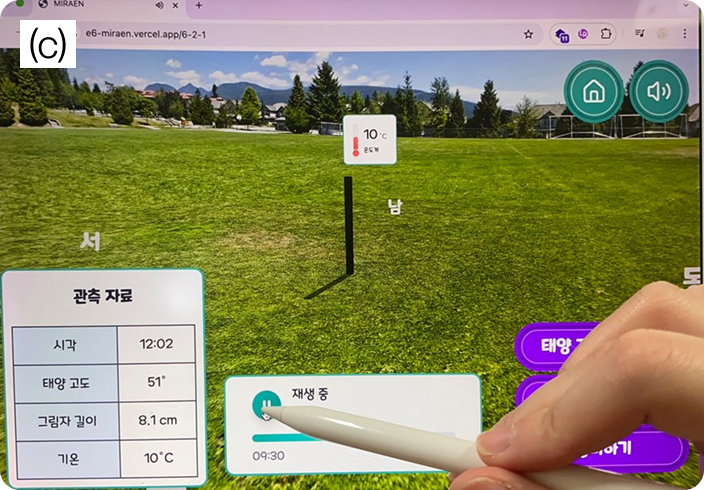
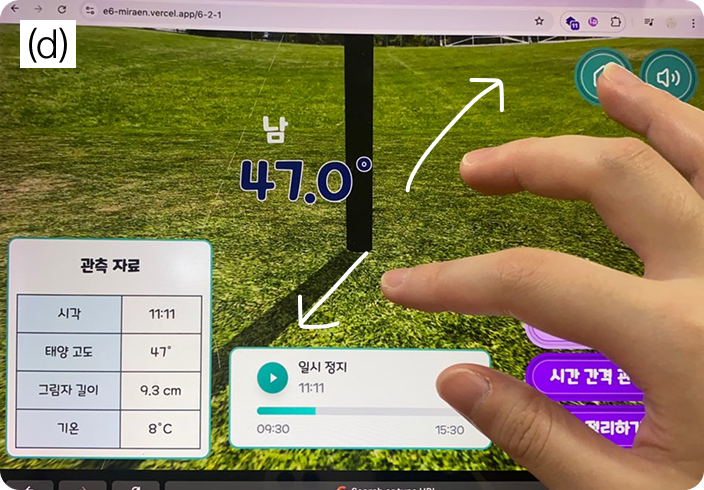
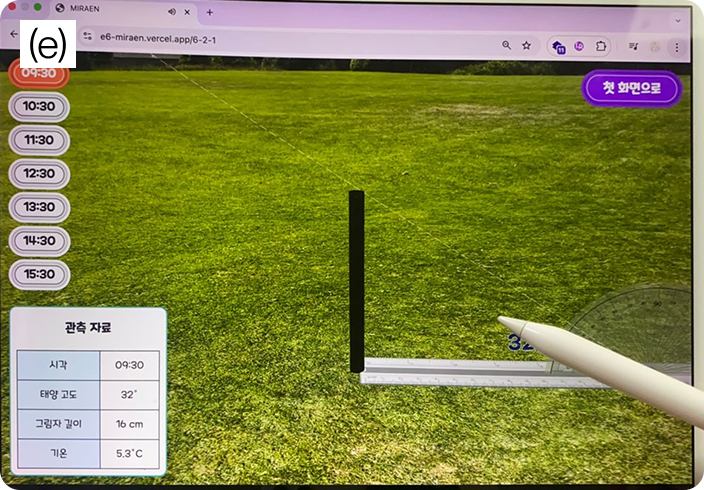
Learners adjust time by tapping or dragging the slider horizontally or vertically, use play and pause to fine-tune moments, zoom to read angular values, and record sun altitude, shadow length, and temperature at fixed intervals.
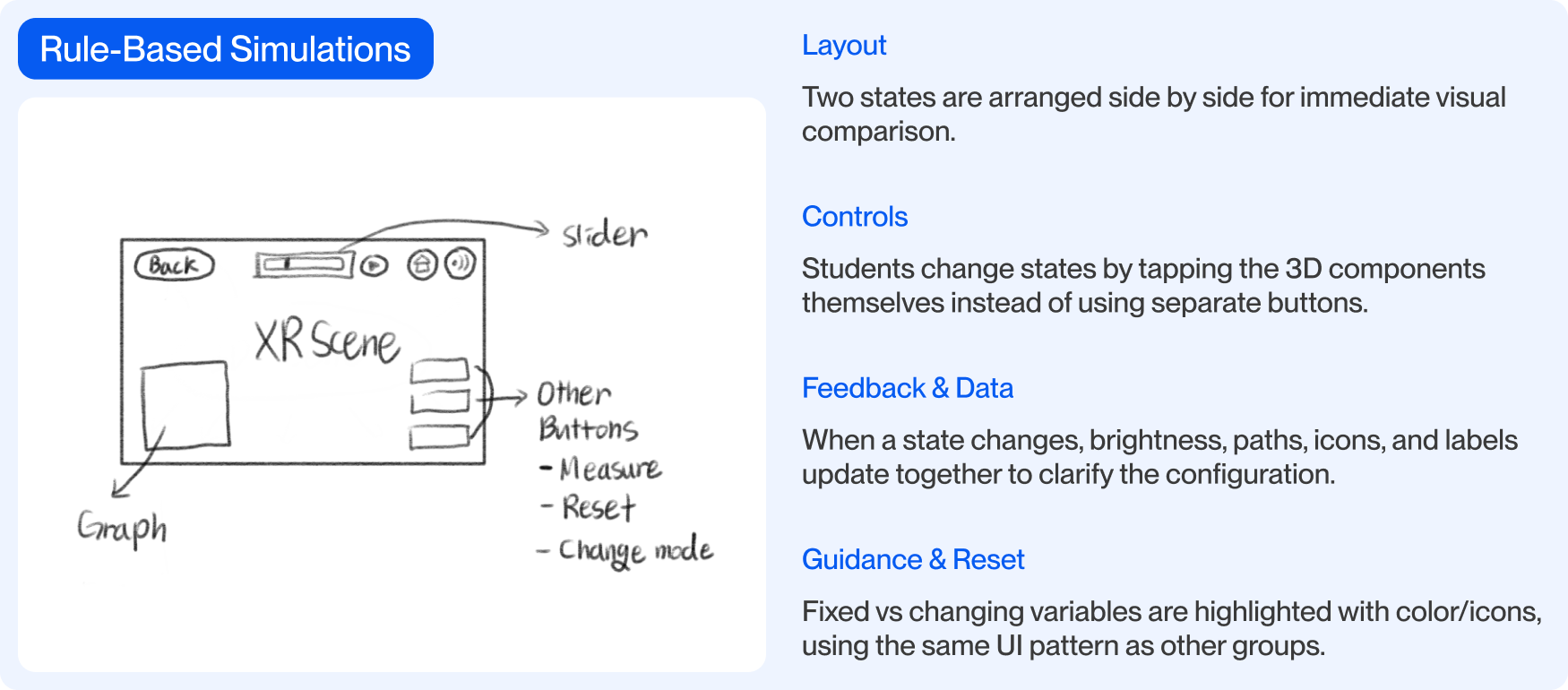
Group 2 | State Change Simulations
Tap 3D Objects → State Changes → Read Outcomes
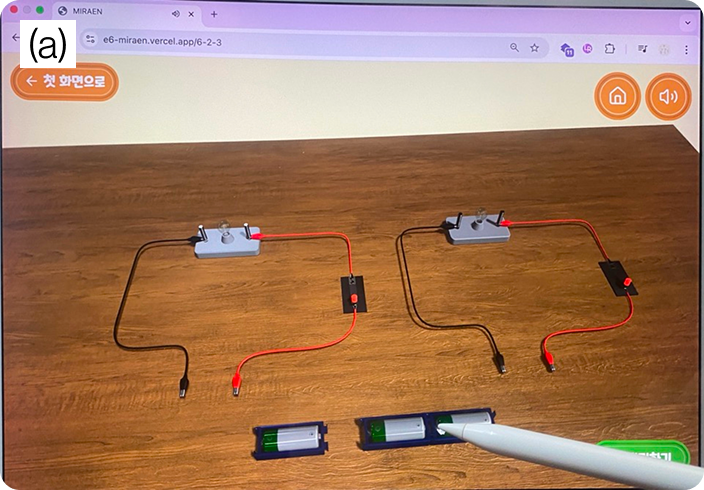
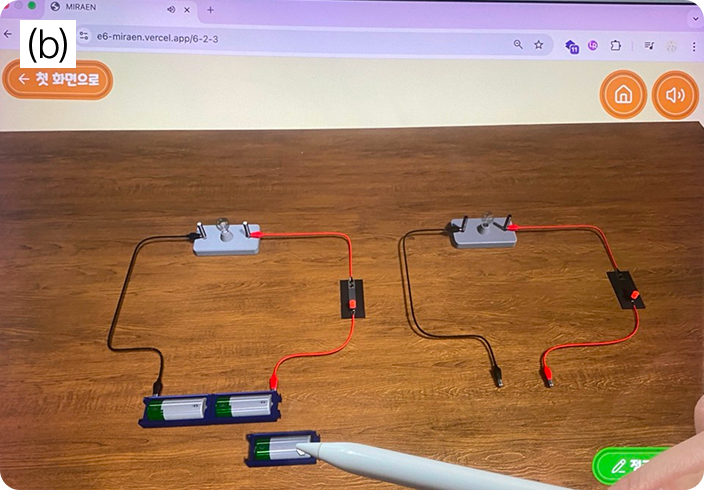
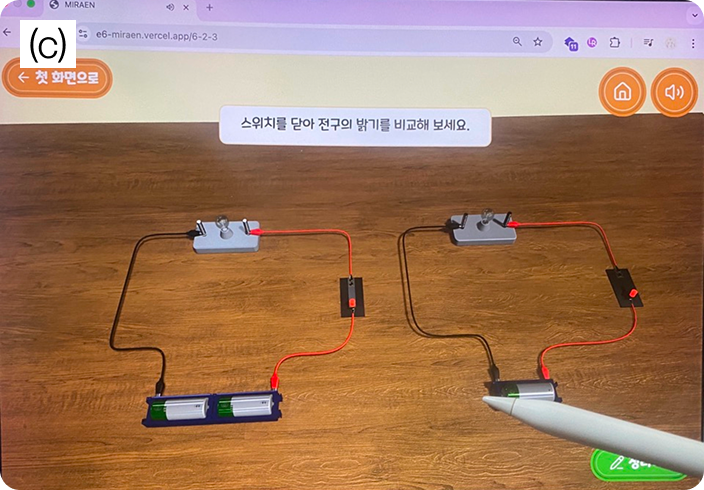

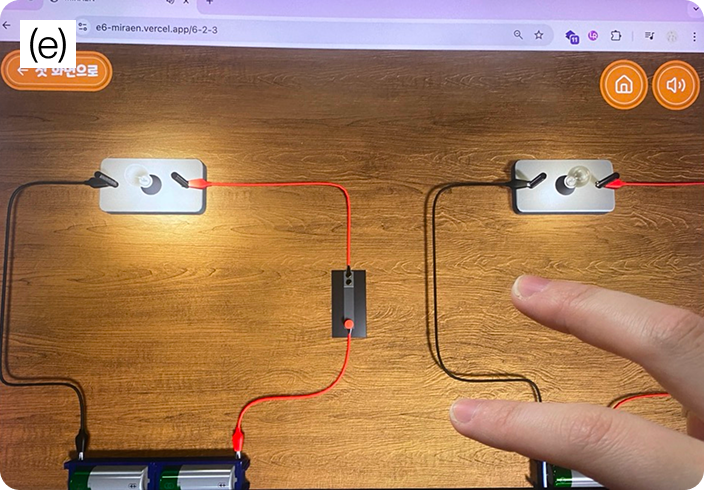
Learners tap 3D components to set up comparable experimental groups, keep variables constant, and run the same experiment across conditions to compare outcomes and reason about controlled variables.
How Inquiry Is Made Interactive
We implemented interaction patterns that operationalize inquiry by allowing learners to change conditions and observe outcomes.
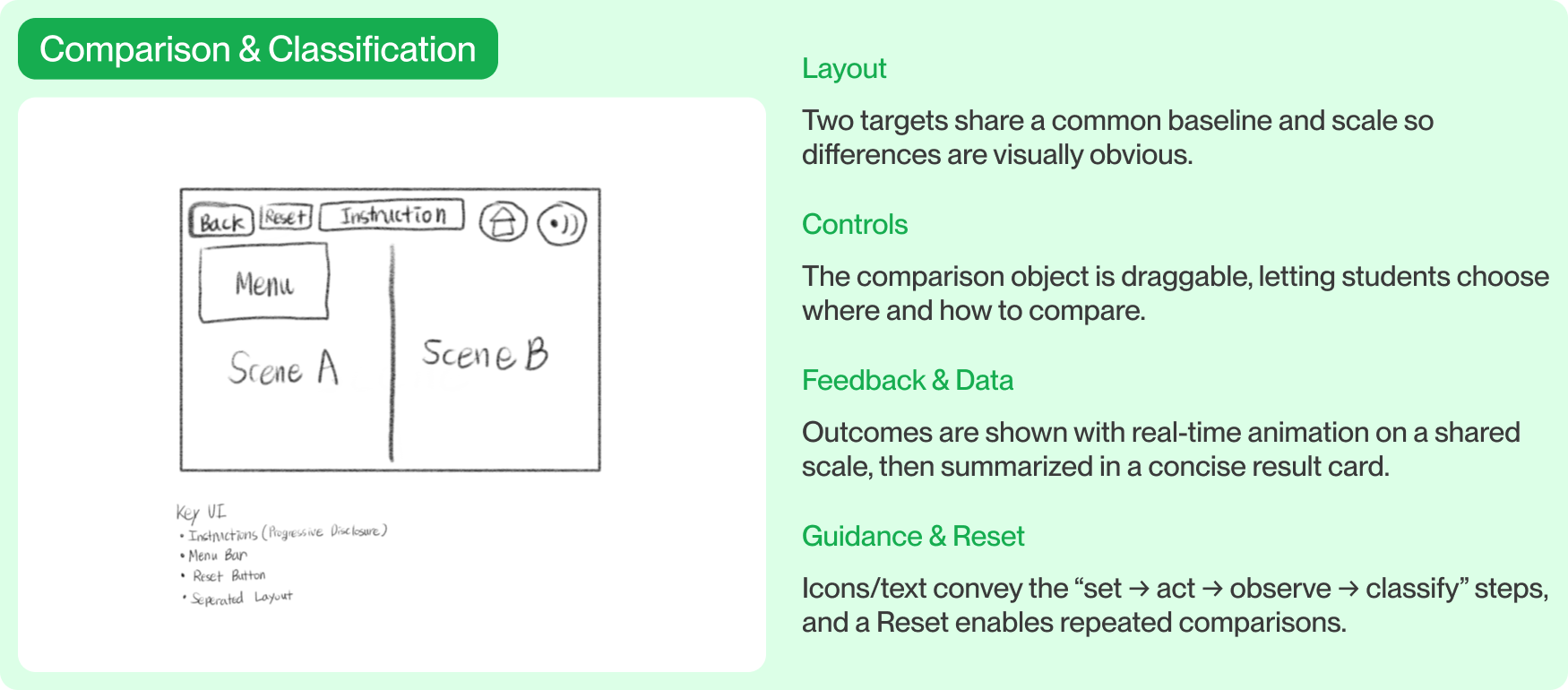
Group 3 | Comparison & Classification
Drag Objects → Observe Differences → Review Results
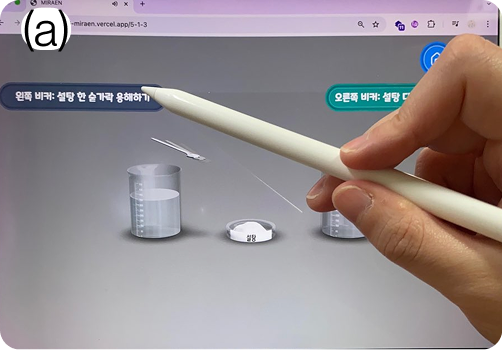
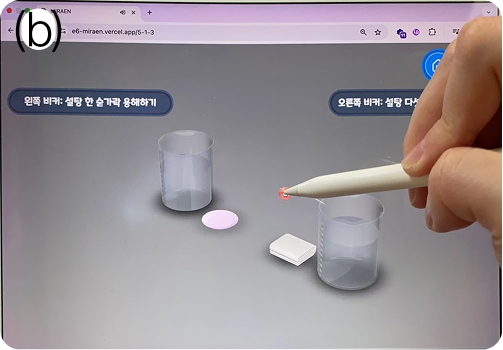
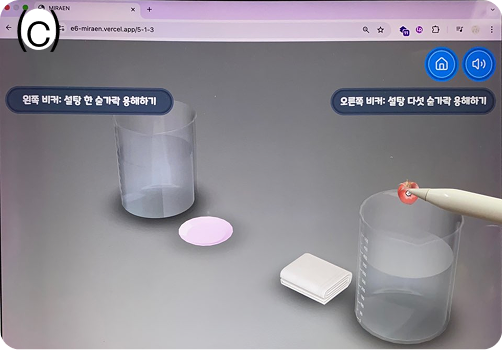
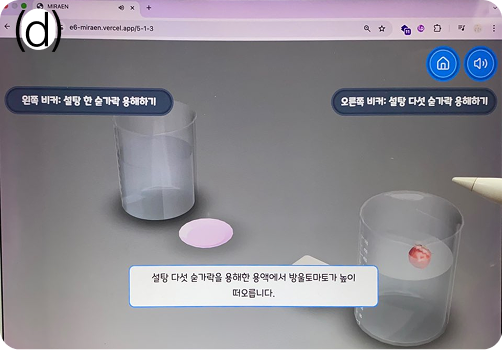
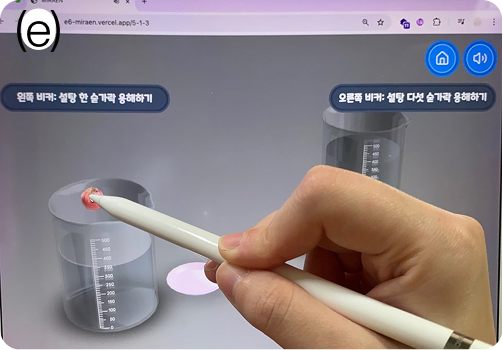
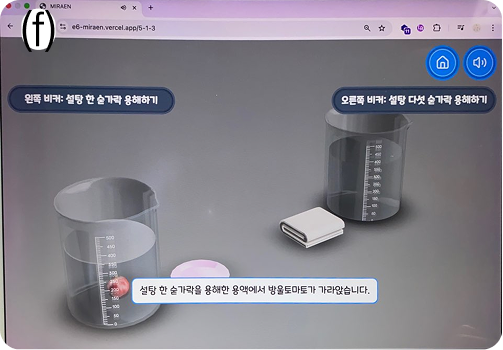
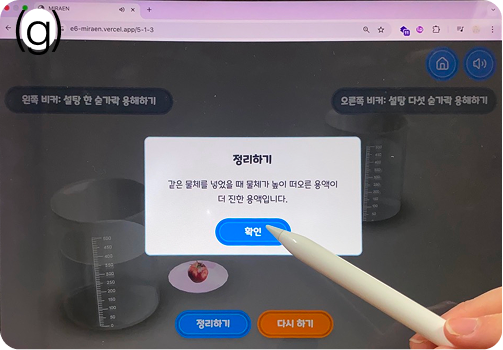
Learners create comparison groups, move objects between conditions, observe behavioral differences, and review results after each observation cycle.
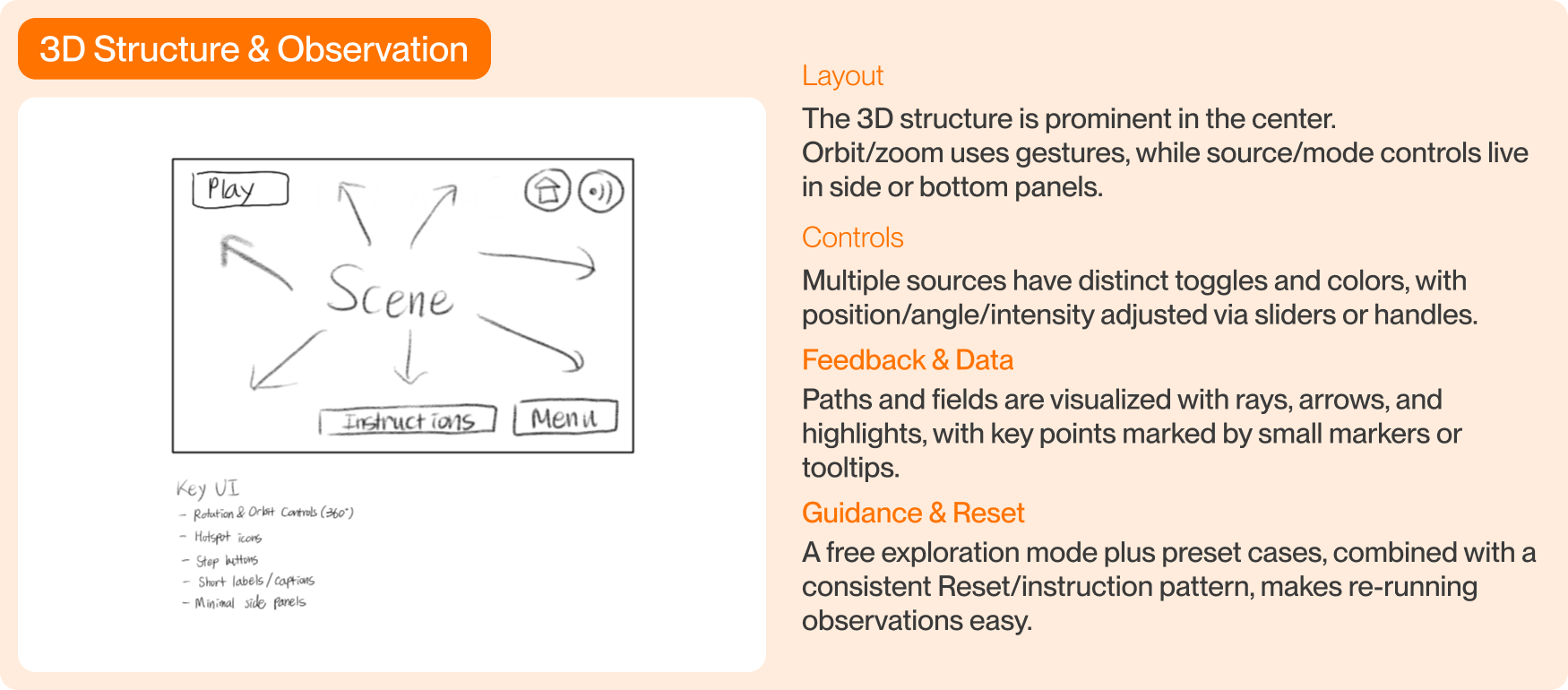
Group 4 | 3D Structure & Observation
Rotate & Zoom → Reveal Hotspots → Read Explanations
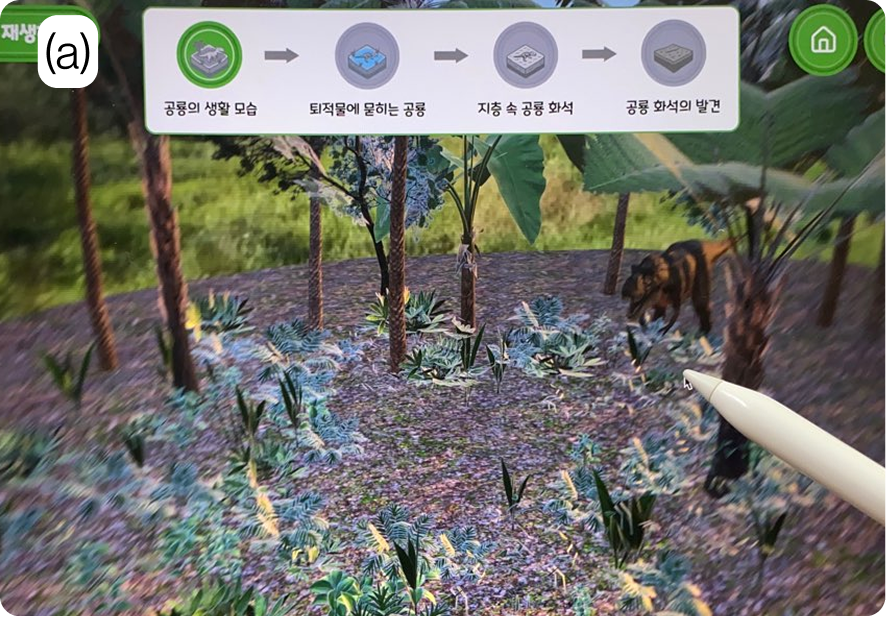
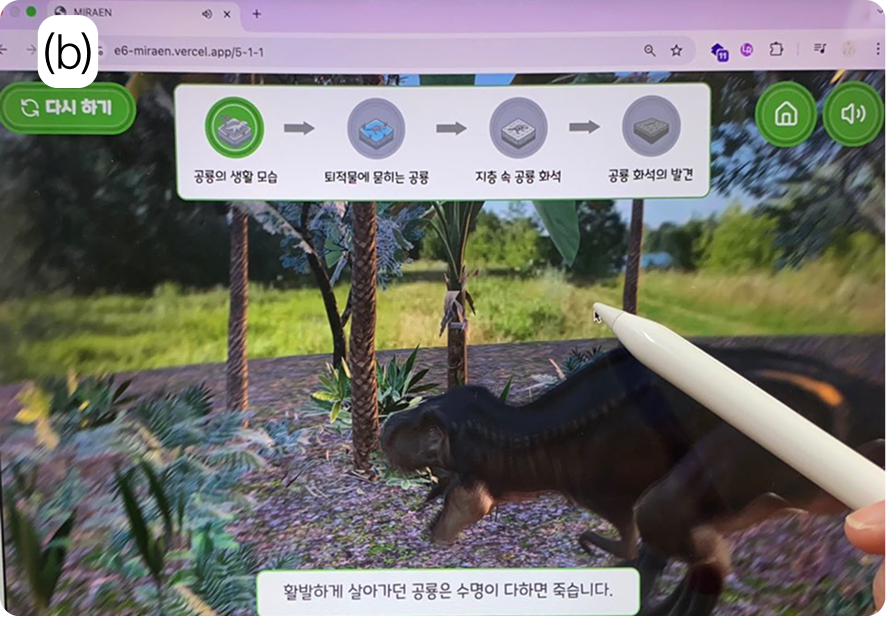


Learners rotate and zoom the 3D scene to inspect structures from multiple angles, toggle hidden elements, and access contextual explanations embedded within the model.
I created interaction and UI design guides based on experiment types.
I grouped the curriculum into four experiment types and created interaction and UI design guides.
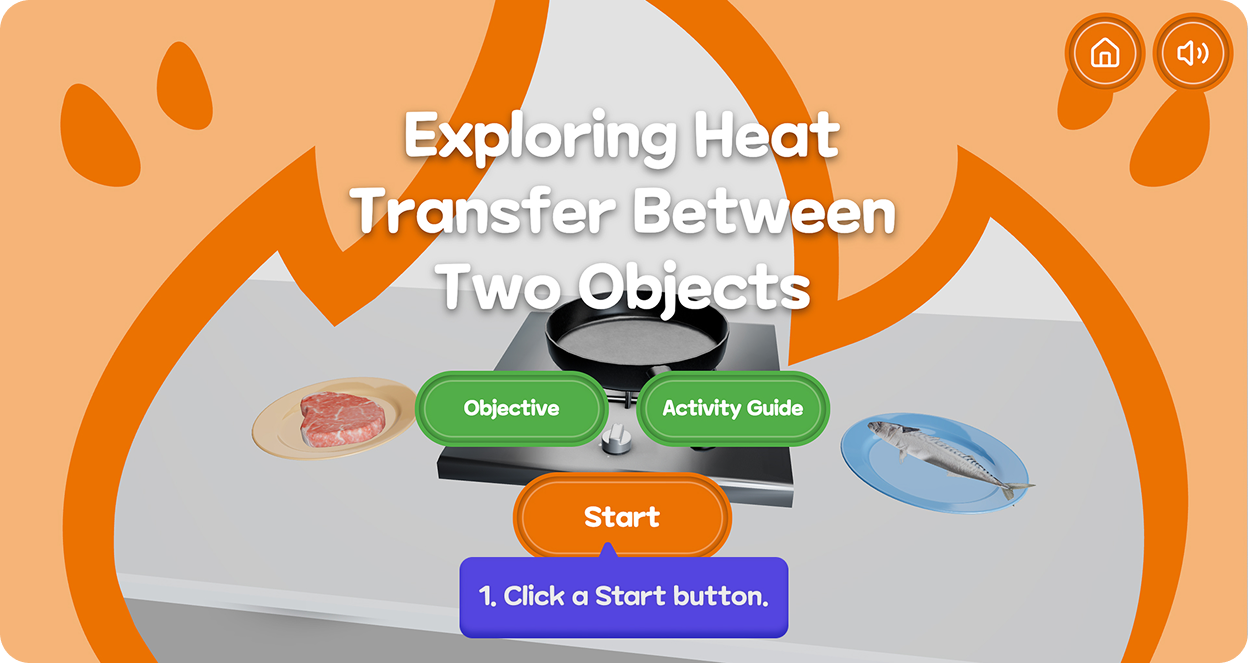
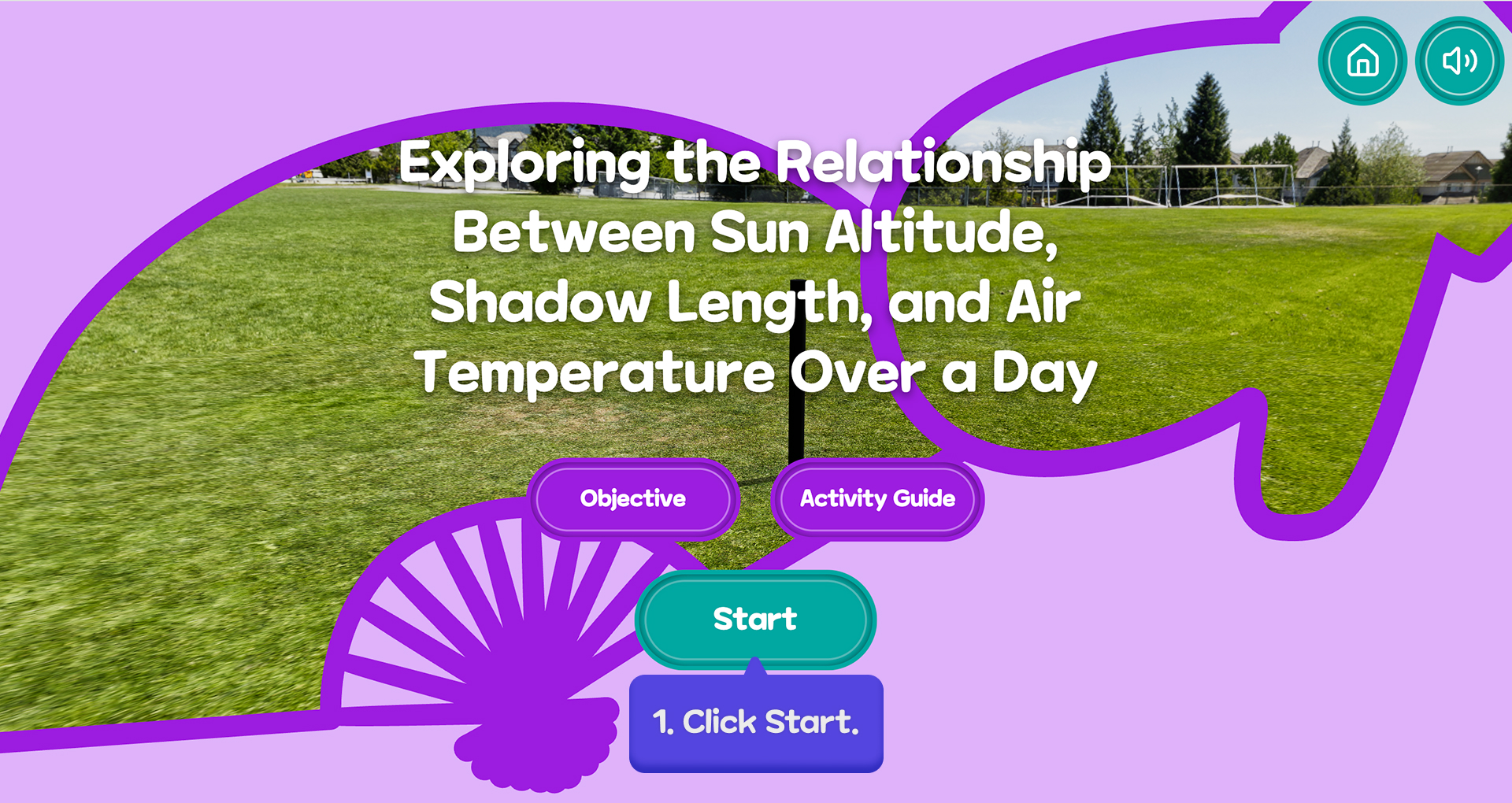
Experiment Setup & Objectives
XR Science Museum begins each activity by orienting learners to the experiment, clarifying its goal and overall flow before hands-on exploration starts.
I created an activity guide for each experiment. This activity guide can access by 'Activity Guide' button on the intro screen.
Conducting the Experiment
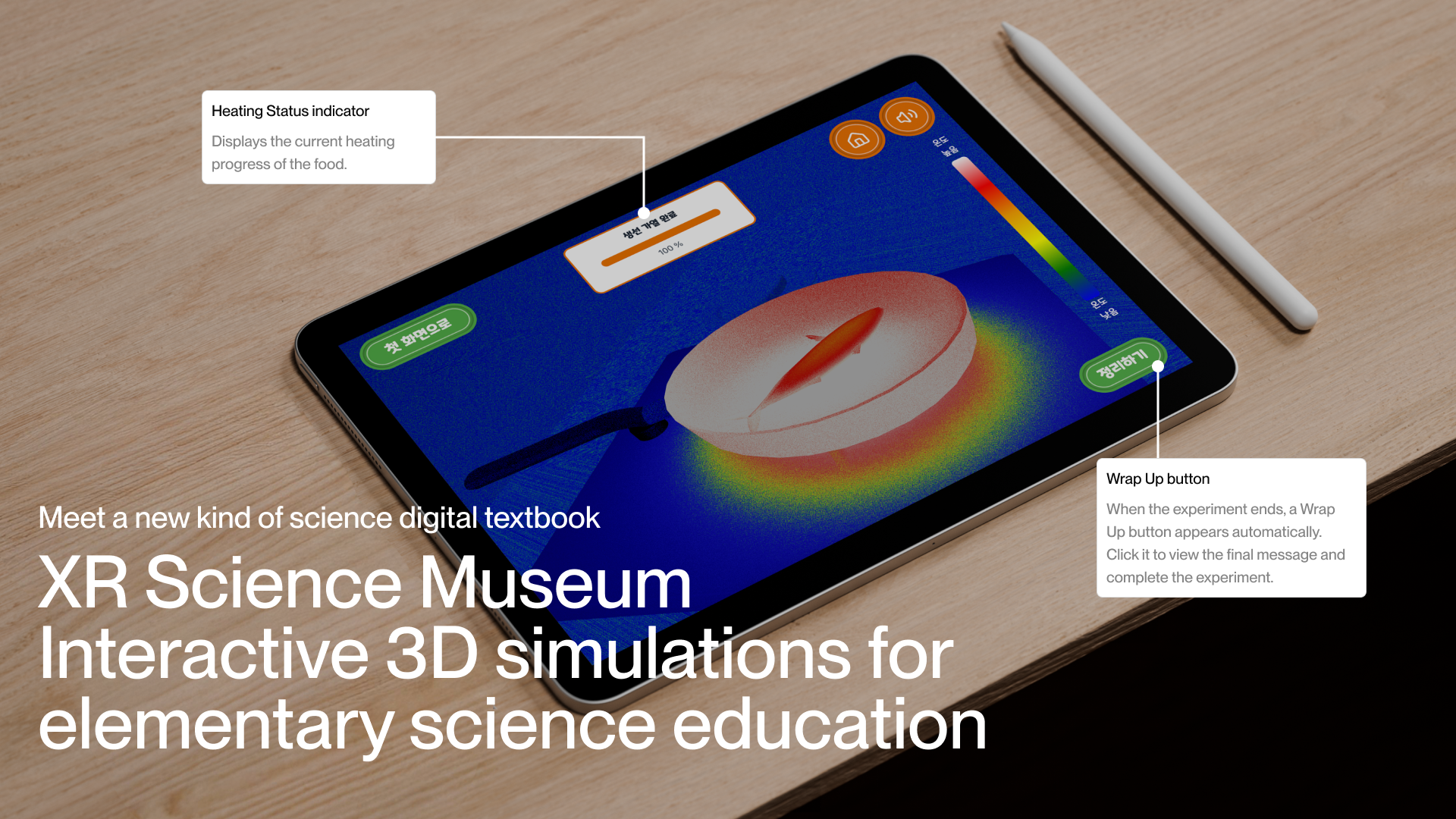
During curriculum-based experiments, the system visualizes changes in real time and provides continuous feedback that helps students track progress, interpret results, and recognize when a trial is complete.

Solution 1. Time-Based Simulations
Time-based simulation supports inquiry by allowing students to observe how variables change over time rather than relying on static snapshots. By controlling time directly, students can pause, rewind, and compare moments to reason about change through repeated observation and measurement.
Solution 2. State Change Simulations
State-change type of simulations let students directly manipulate components to compare discrete conditions side by side. By toggling elements such as switches, batteries, or bulbs, students can observe immediate cause-and-effect relationships between system states.
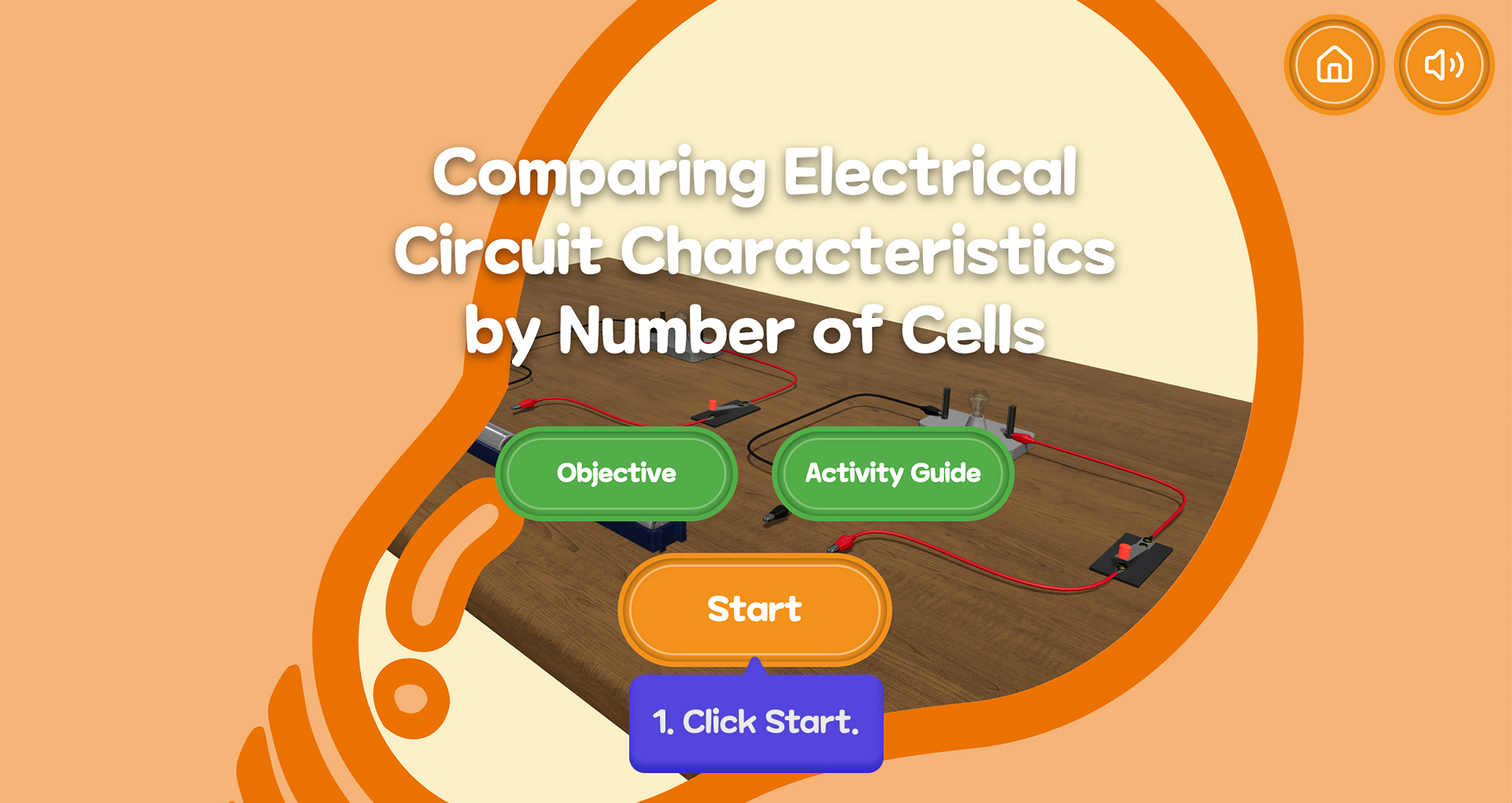
Solution 3. Comparison & Classification
Comparison and classification simulations type of simulation allows students directly manipulate objects to test how they behave under different conditions. By dragging items between containers, removing them, and trying again, students can compare outcomes, identify patterns, and build their own sequences of classification through repeated testing.
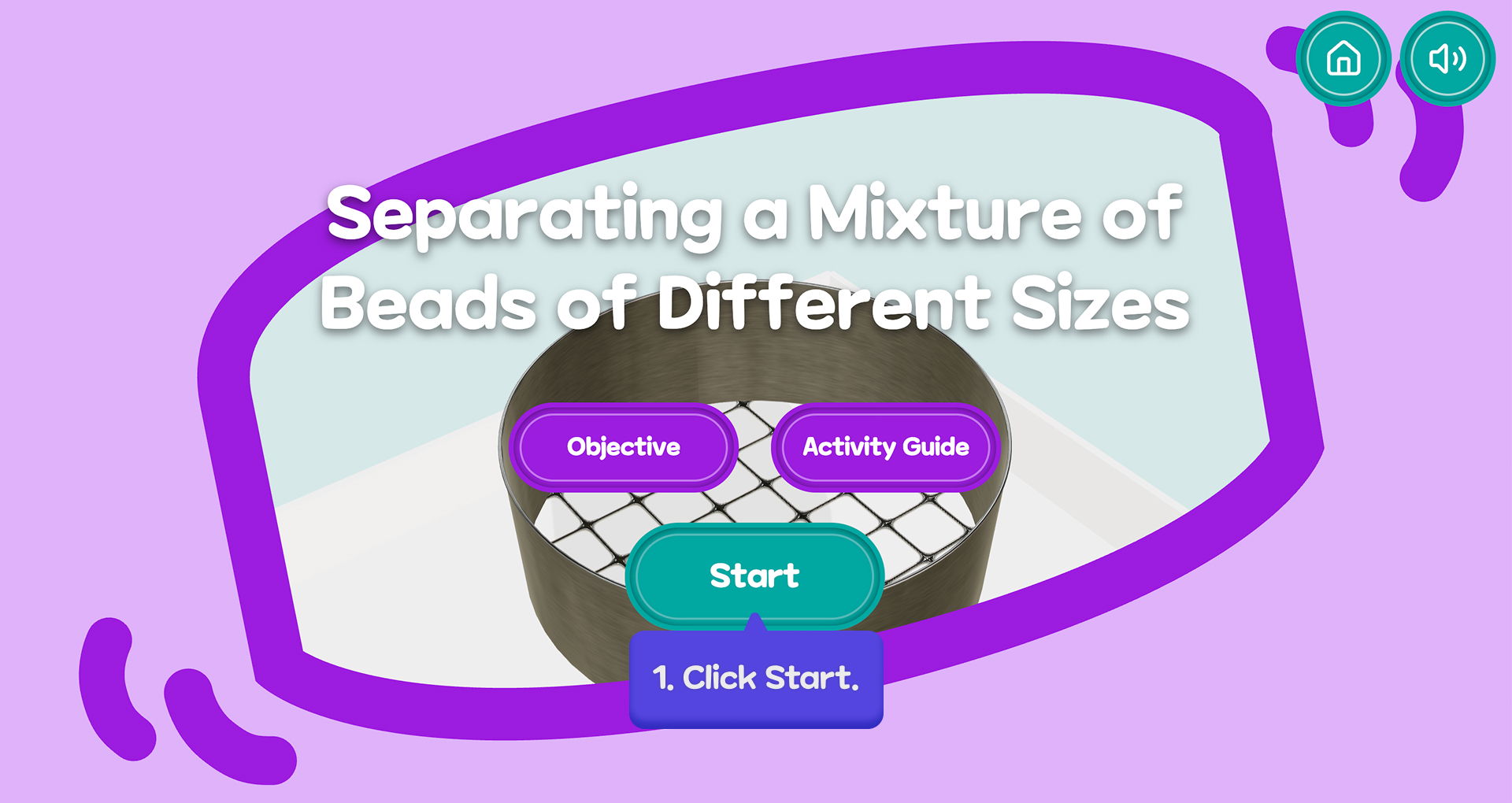
Solution 4. 3D structure and observation simulations
3D structure and observation simulations allow students to explore spatial relationships by viewing phenomena from multiple perspectives. By rotating the scene and adjusting light sources, students can observe how visibility and alignment change across positions, helping them reason about spatial structure and relative motion.
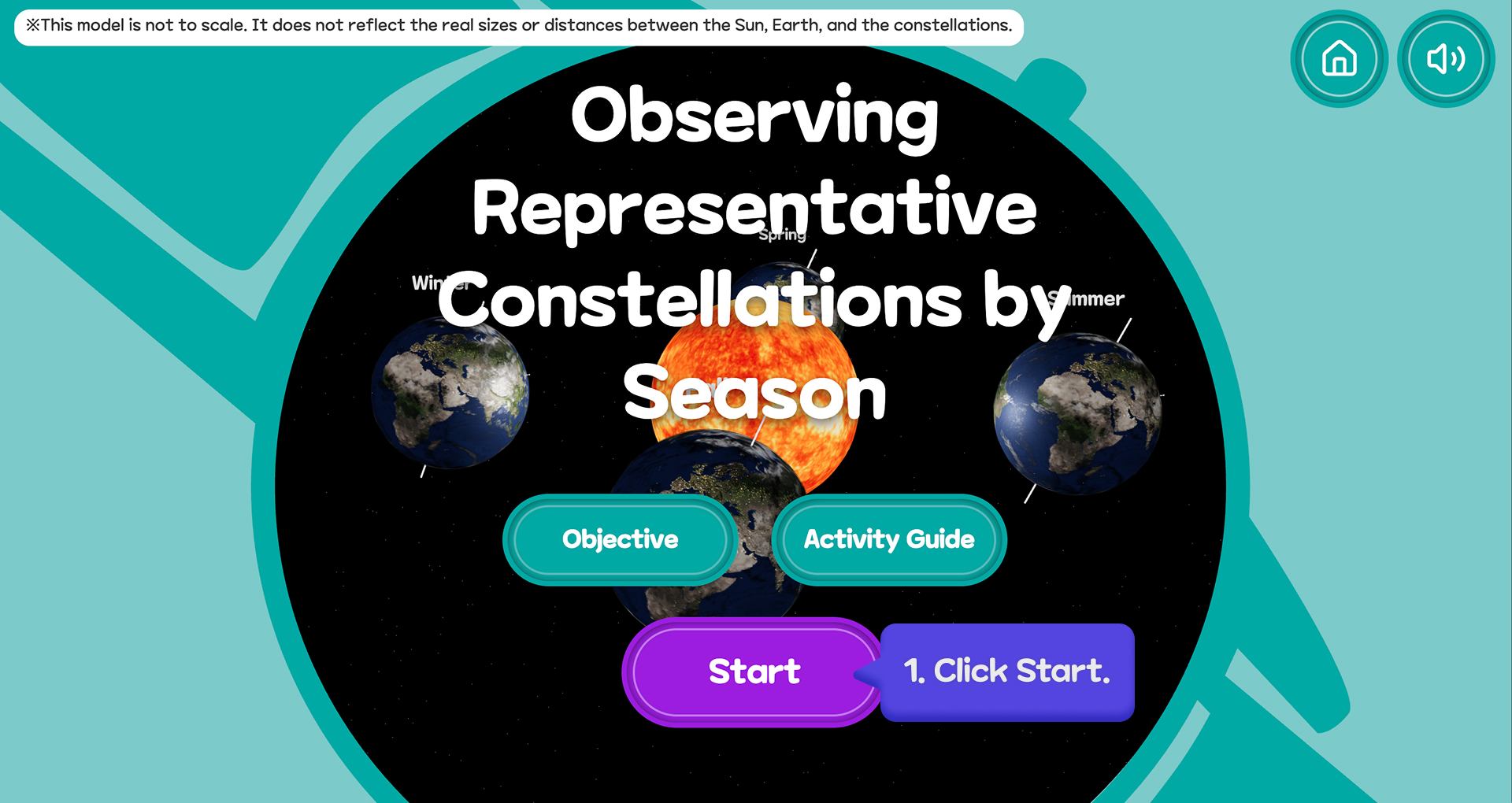
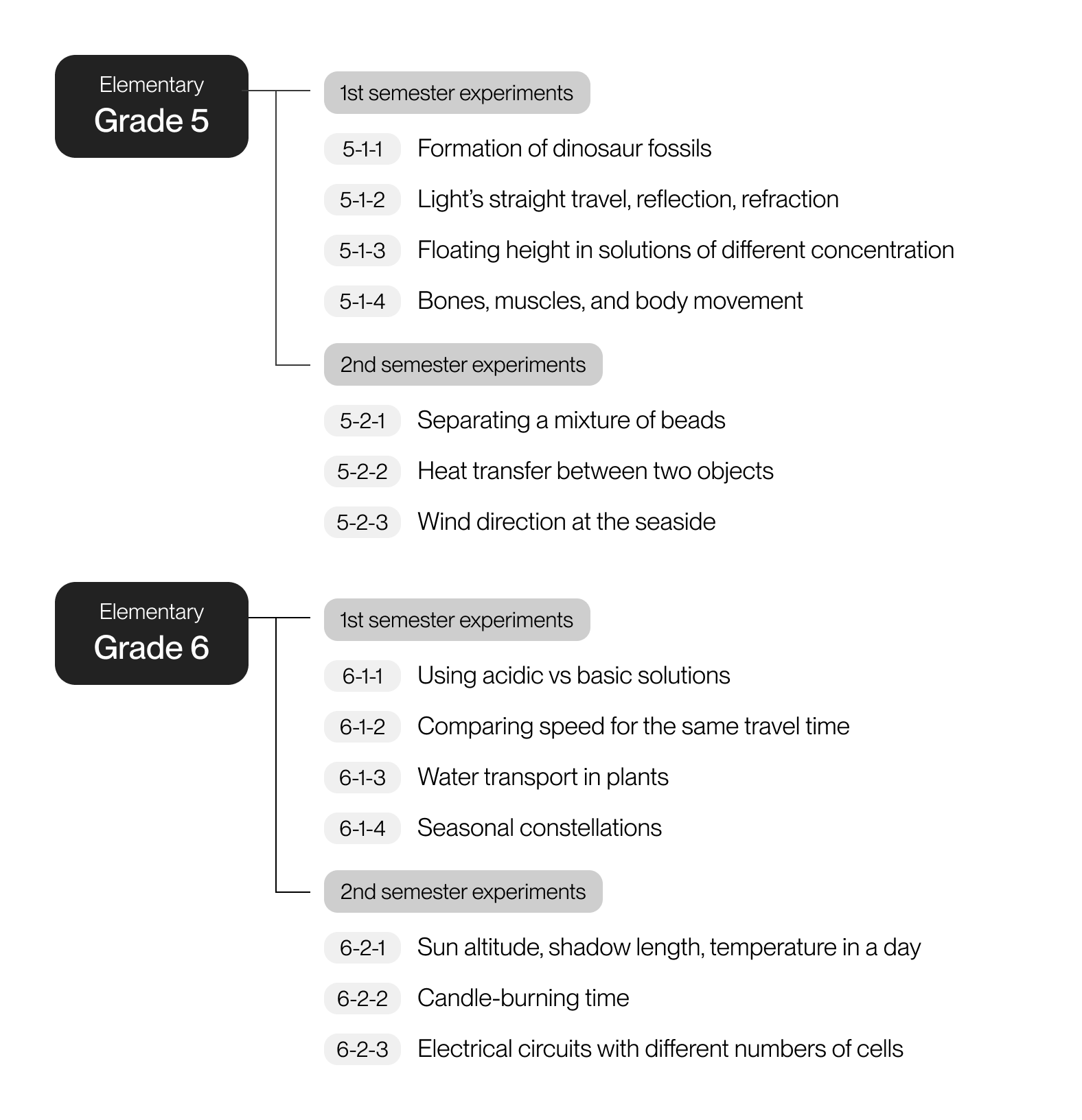
Curriculum
By analyzing recurring patterns across curriculum-based experiments, I translated diverse science content into four reusable XR interaction templates—creating a scalable system that supports inquiry, comparison, and observation across grade levels.

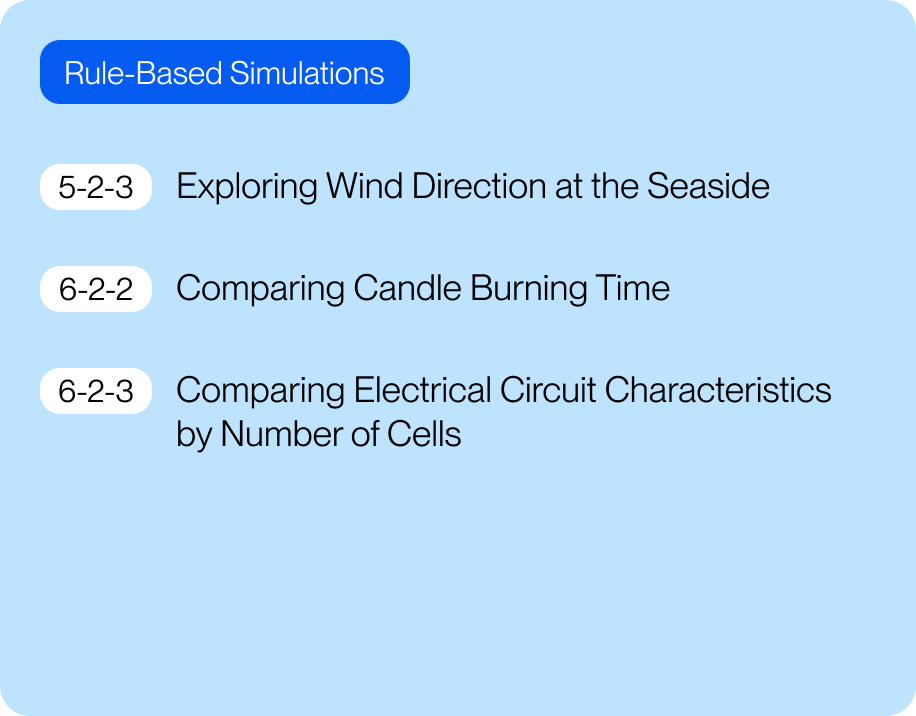
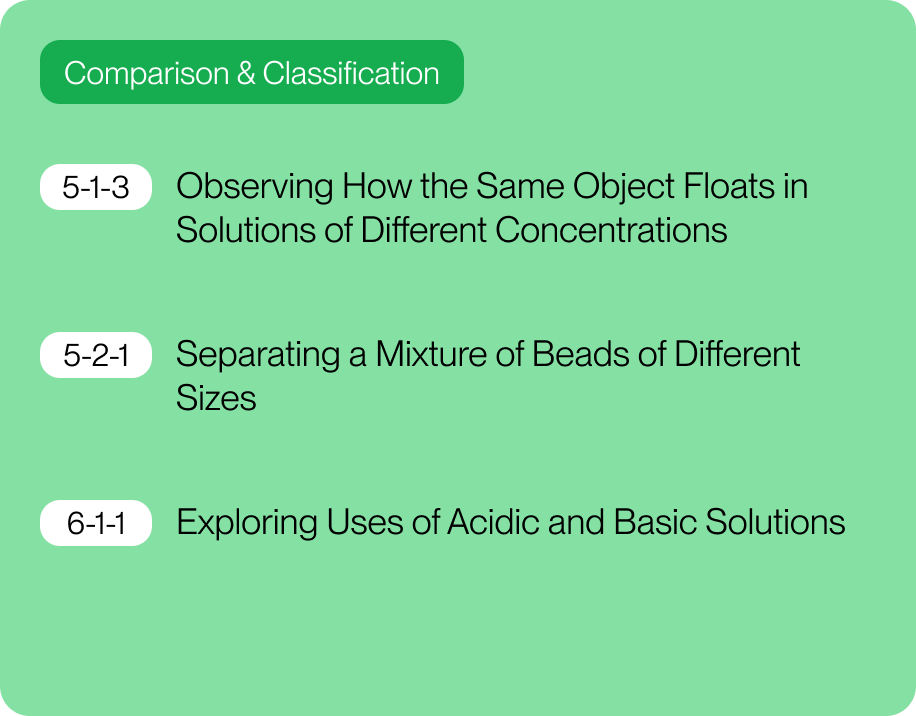
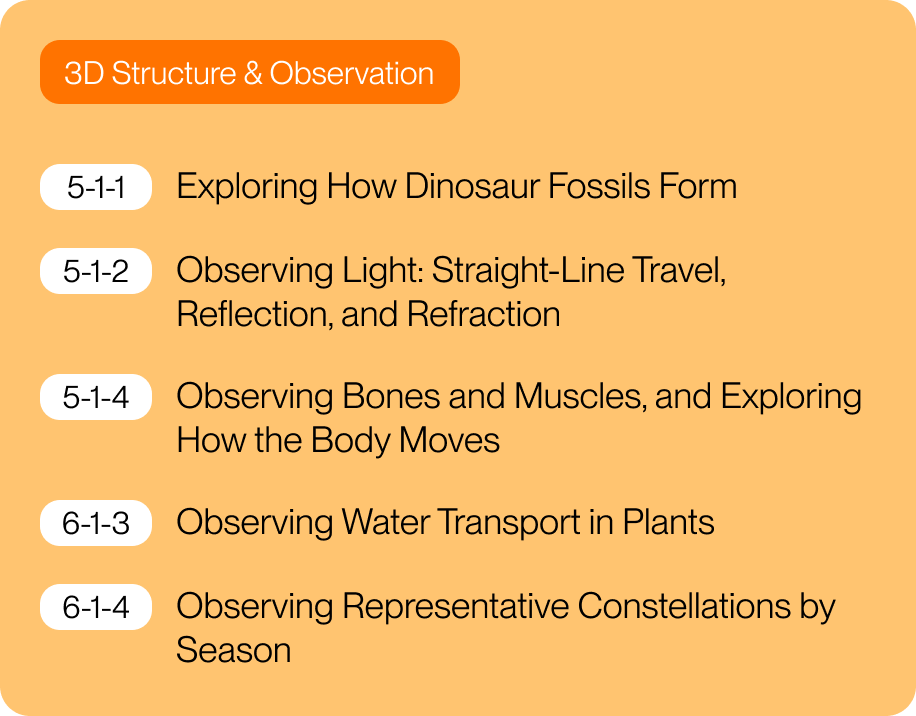
Each category informed a consistent XR layout and simulation logic.
Future Steps
XR Science Museum will launch in March 2026 and be deployed across multiple classrooms. This rollout enables validation beyond prototyping—allowing us to evaluate learning impact, classroom usability, and system reliability in real instructional contexts. Post-launch, we will analyze usage data, teacher feedback, and student work to assess the following questions.
01 | Does XR interaction support conceptual understanding—not just engagement?
- Whether students can describe, predict, and compare phenomena using their own words based on observed outcomes
- Whether XR interactions help reduce common misconceptions found in textbook-based instruction
02 | Does the system reduce instructional friction for teachers?
- How much the system reduces time spent on setup, explanation, transitions, and resets compared to existing materials
- Which workflows or features become classroom bottlenecks and should be prioritized for iteration
03 | Is the system reliable under real classroom constraints?
- Whether loading time, frame rate, and interaction responsiveness remain stable across devices and networks
- How performance issues affect learning behaviors such as drop-off, retries, and task abandonment
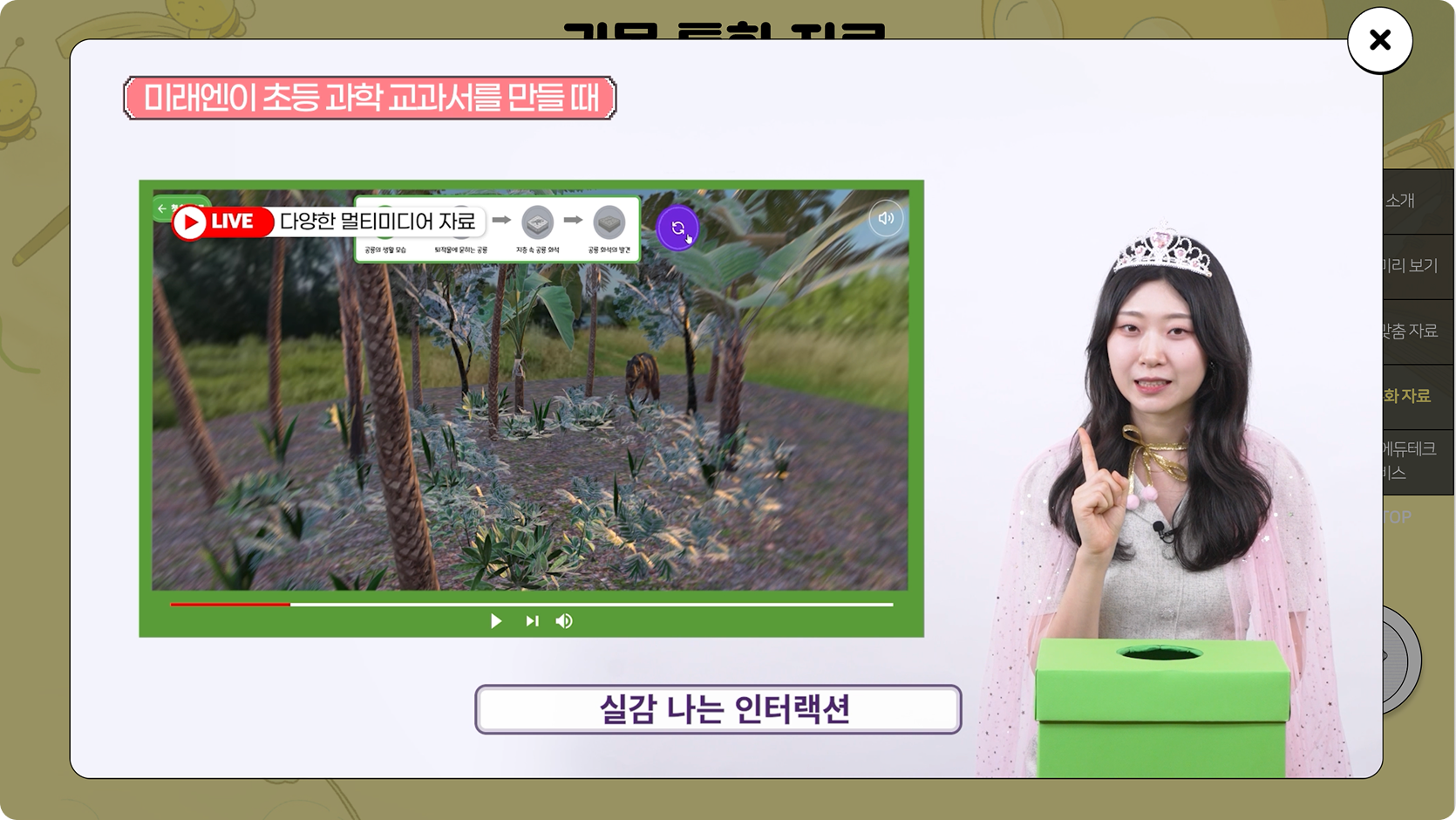
2026 MiraeN Science Textbook Overview Video
Together, these evaluations will inform how XR can move from experimental novelty to a dependable learning tool in everyday classrooms.